Overview
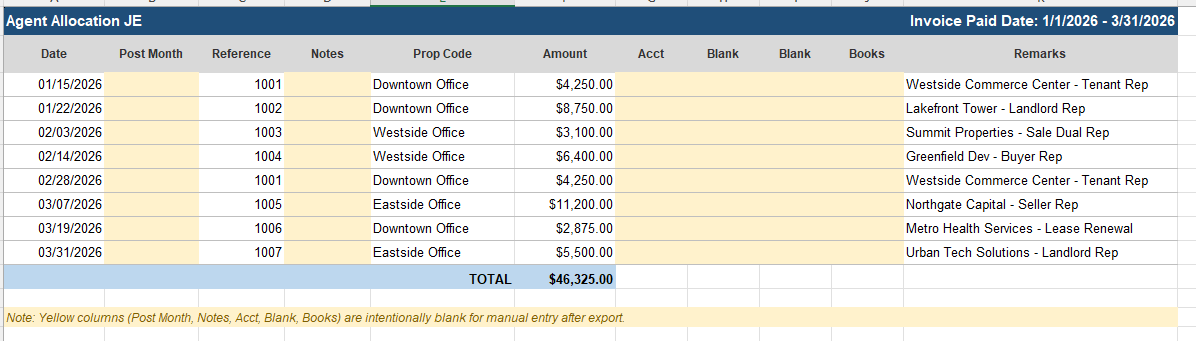
The Agent Allocation JE Report is a template-style export containing information about amounts paid to internal brokers for the selected date range. It is based on paid payables associated with receivables paid within the selected period. The report exports to Excel, and blank columns are included intentionally to be filled in after export.
Filters
| Filter | Description |
|---|---|
| Start Date | Start of the period when an invoice was paid. |
| End Date | End of the period when an invoice was paid. |
| Office | List of offices. Defaults to All Offices. |
| Display Zero Payments | Check to include $0 invoices (written-off receivables). |
Report Columns
| Column | Description |
|---|---|
| Date | Receivable paid date. |
| Post Month | Blank — to be filled in after export. |
| Reference | Deal ID. |
| Notes | Blank — to be filled in after export. |
| Prop Code | Office name. |
| Amount | Broker Net after expenses, based on paid payables. |
| Acct | Blank — to be filled in after export. |
| Blank | Blank — to be filled in after export. |
| Blank | Blank — to be filled in after export. |
| Books | Blank — to be filled in after export. |
| Remarks | Deal name. |