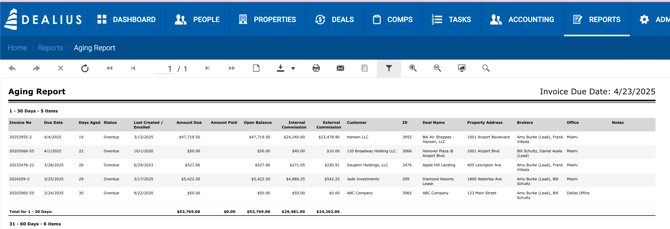
Overview
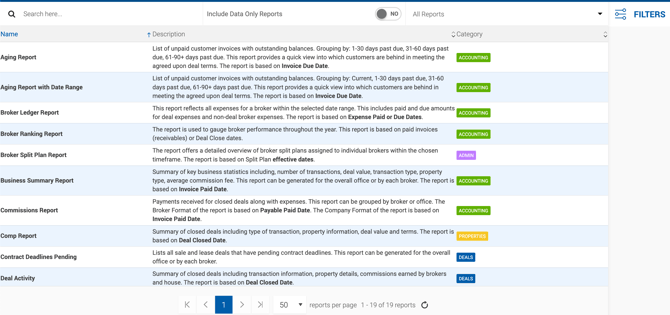
The Reports tab provides a comprehensive set of reports covering accounting, deals, and properties. Reports can be searched by keyword or filtered by category.
Report Categories
| Category | Color | Example Reports |
|---|---|---|
| Accounting | Green | Commission Report, Aging Report |
| Admin | Purple | — |
| Deals | Blue | Deal Activity, Pipeline Report, Lease Renewals, Options Report |
| Properties | Orange | Comp Report |
Finding a Report
- Keyword Search — Type a report name or keyword to filter the list.
- Category Filter — Filter by Accounting, Properties, or Deals.
Generating a Report
- Click the report you want to generate.
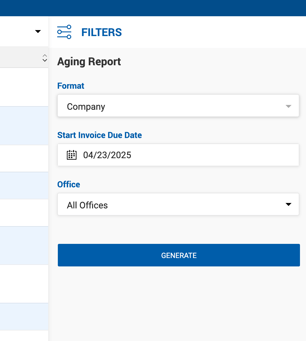
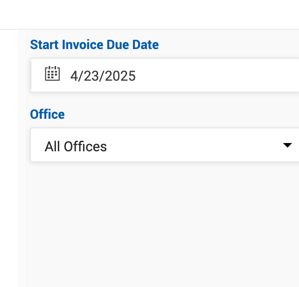
- Customize your report using the filter options in the sidebar.
- Click Generate.
- If needed, update filters in the sidebar within the report itself to refine the results.
Report Toolbar
Once a report is generated, the following actions are available:
- Export in various file formats
- Print preview
- Hide sidebar
- Zoom in / Zoom out
- Full-page view
- Keyword search within the report