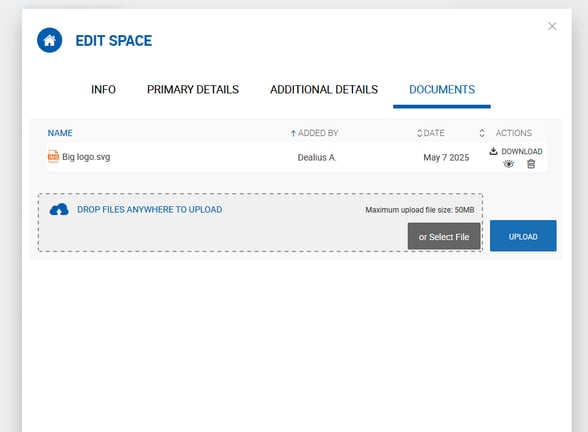
Notes
The Notes tab on a Property profile works similarly to notes on a listing or deal. Any user can add a note to a property. Notes can be edited and deleted by their author.
Documents
The Documents tab allows users to upload, download, and remove property-related files. Documents attached to a property are not transferred to a listing or deal when the property is linked to one.
Folder Structure
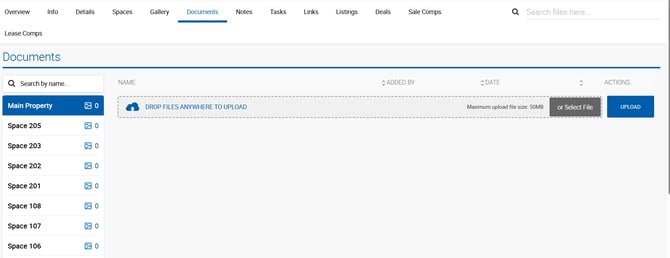
Documents are organized into folders to separate property-level and space-level files. The structure mirrors the Gallery tab and always includes:
- Main Property — For documents related to the property itself.
- Space Folders — One folder per active (non-deleted) space, automatically created when a space is added. Space folders inherit the space name.
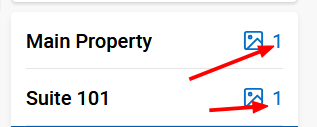
Folders can be filtered using the space name search. Documents can be uploaded to any folder — main or space-specific — and all standard functionality applies regardless of folder (e.g., marking a document as public).
Key Features
- Download All — Downloads all documents as a single archive containing subfolders.
- Search Files — Filters documents across all folders simultaneously. The file count displayed on each folder name updates to reflect search results, but you will need to click into each folder to view matching files.
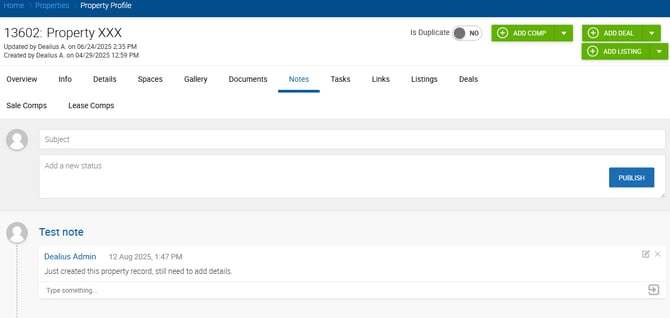
Documents in the Edit Space Pop-Up
The Documents tab is also accessible within the Edit Space pop-up. Documents uploaded to a space-specific folder via the main Documents tab automatically appear here, and documents uploaded via the Edit Space pop-up are synced back to the main Documents tab.