Overview
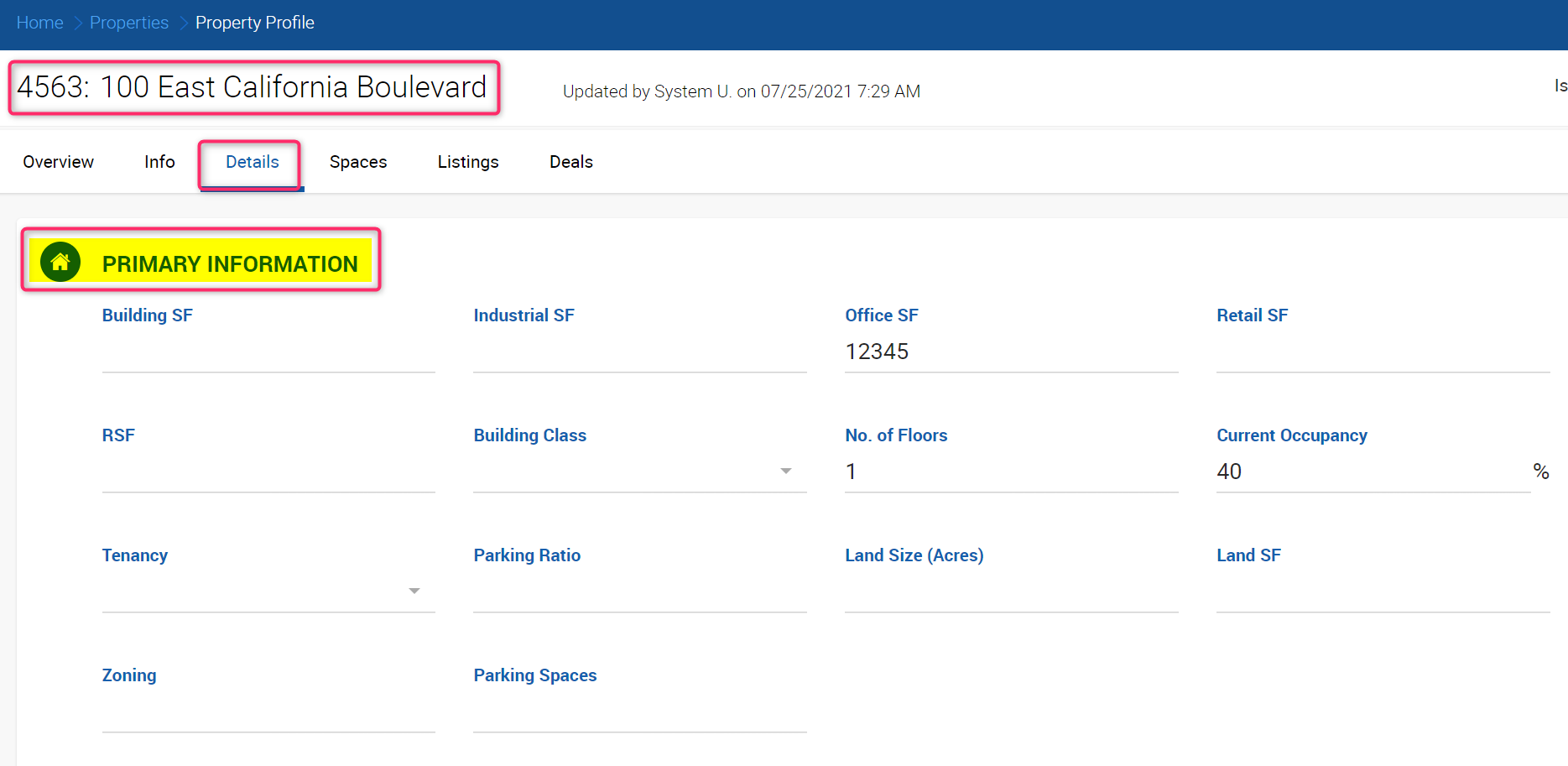
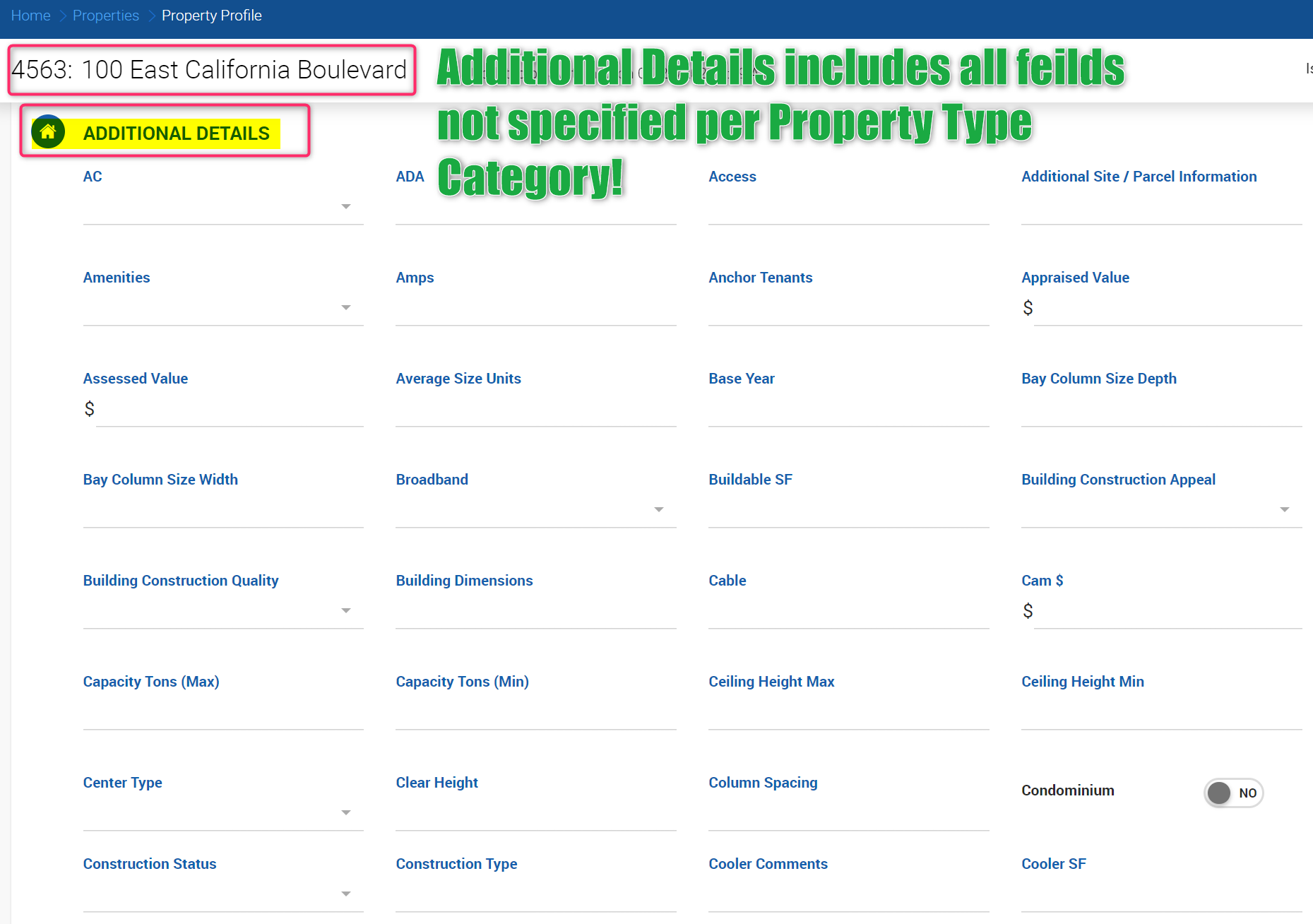
The Details tab on a Property Profile is split into two sections: Primary Information and Additional Details.
- Primary Information — A configurable set of fields specific to each property type category. These fields also appear on linked Listings and Deals.
- Additional Details — All remaining property fields, displayed regardless of the property type selected.
Configuring Primary Information Fields
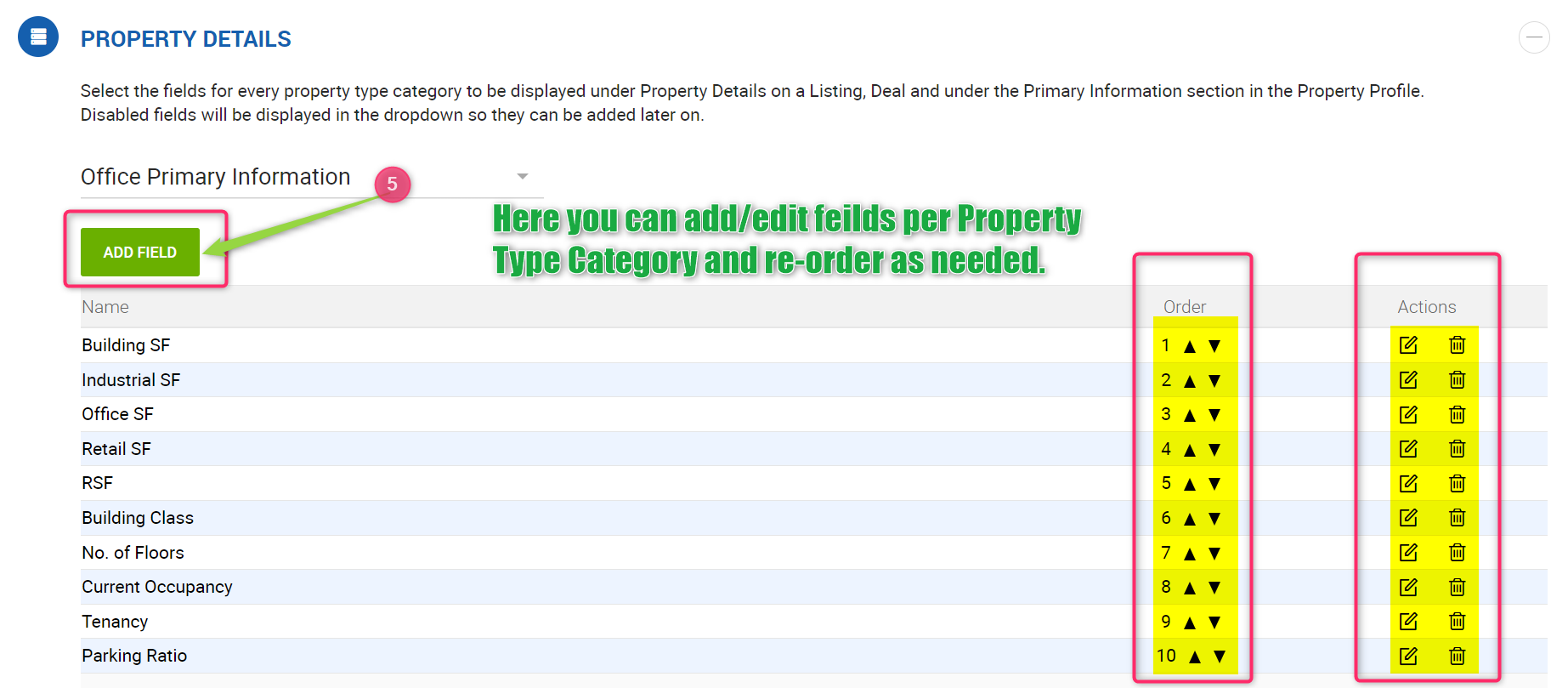
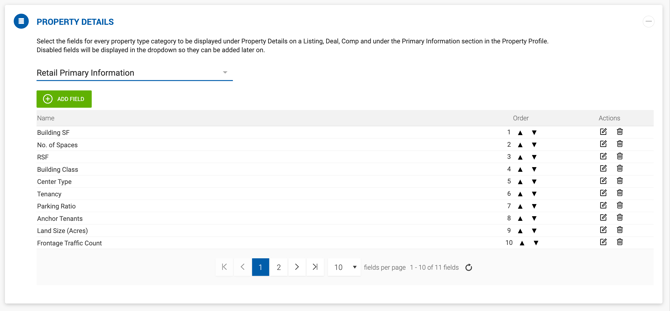
Office Admins can customize which fields appear in the Primary Information section for each property type category under Admin > Manage Data > Property Details.
To make changes:
- Click Admin.
- Click Manage Data.
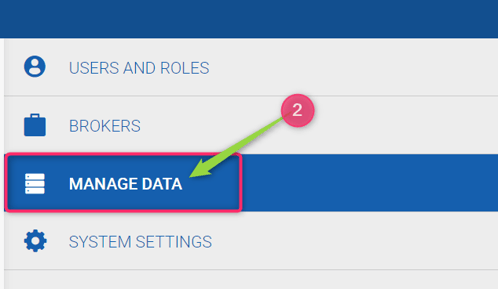
- Expand Property Details.
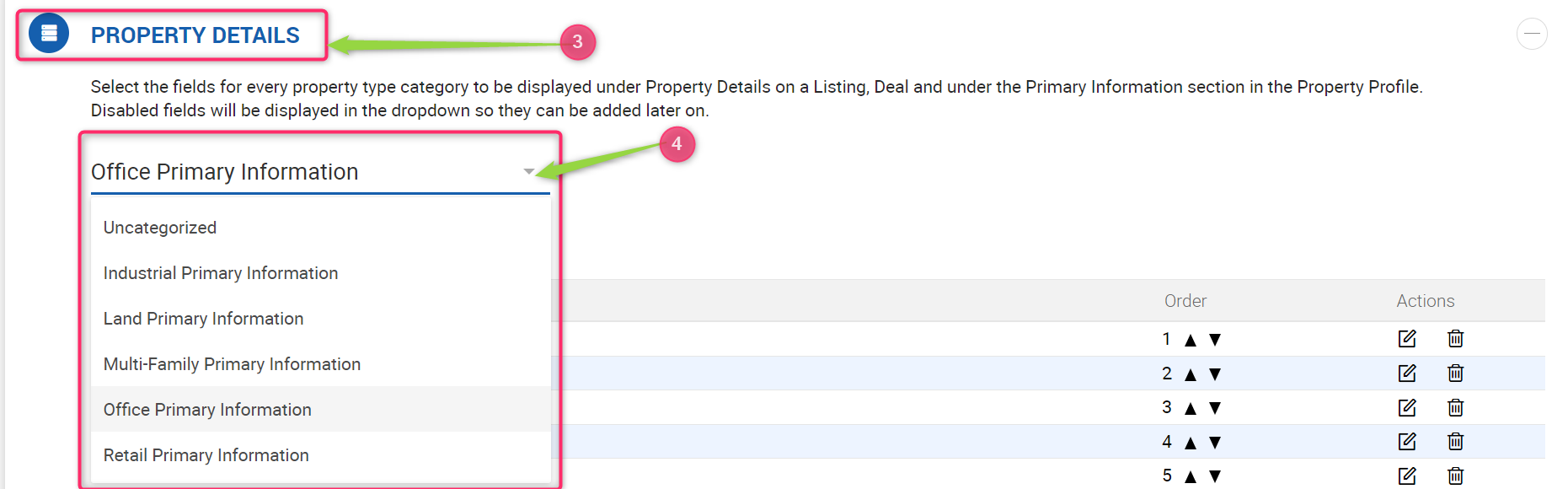
- Select the Property Type Category you want to configure.
- Add or edit the primary fields you want displayed.
The selected fields are then shown in the Primary Information section on the Property Profile and carry over to any Listings and Deals linked to that property.