Overview
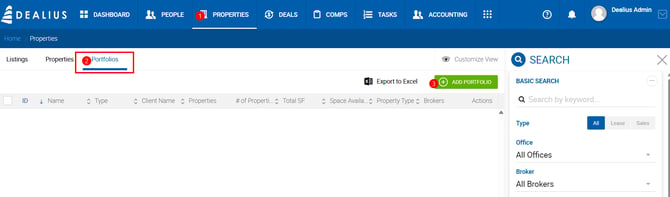
Properties can be grouped into portfolios for organized tracking and reporting. Portfolios are managed under a dedicated section in the Properties main menu, which displays the full list of portfolios with filtering and export options.
Creating a Portfolio
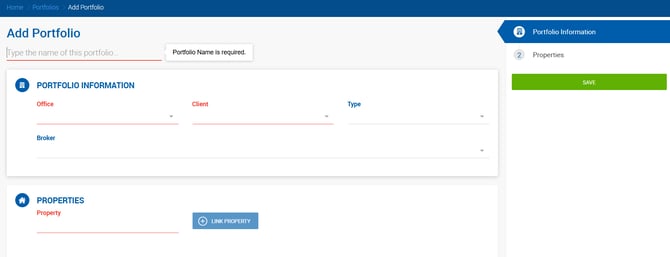
Click Add Portfolio to create a new portfolio. The form requires the following:
- Office — The office associated with the portfolio.
- Client — The client linked to the portfolio.
- Properties — One or more properties to include.
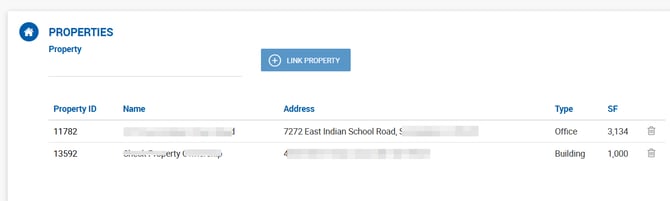
To add properties, locate them using the dropdown and click Link Property. Multiple properties can be linked.
Portfolio Profile
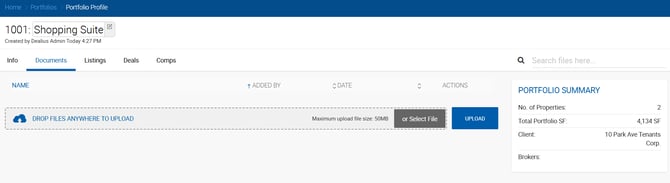
Each portfolio has a profile with the following tabs:
- Main Info — Core portfolio details.
- Documents — Files attached to the portfolio.
- Listings — Listings linked to properties in the portfolio.
- Deals — Deals associated with properties in the portfolio.
- Comps — Comps linked to properties in the portfolio.
Linking from a Property Profile
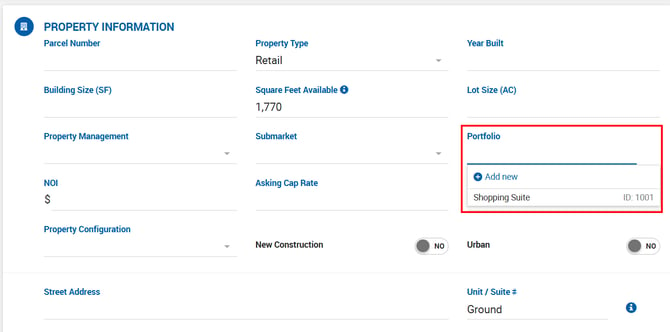
A property can also be linked to a portfolio directly from the property profile, without navigating to the Portfolios section.
Unlinking Properties
Properties can be unlinked from a portfolio at any time. However, if a deal or comp was ever created for that property while it was linked to the portfolio, the portfolio association is preserved as a historical snapshot on the deal or comp record.
Searching by Portfolio
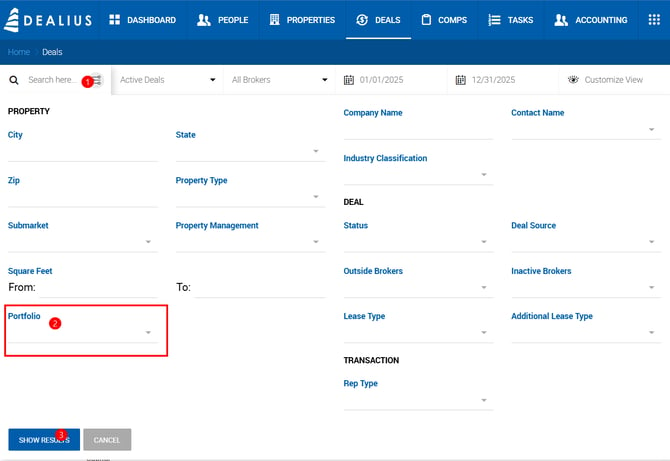
Deals can be searched by portfolio name using the Advanced Search on the Deals page.