
Overview
Contacts and companies can be marked as duplicates to remove them from dropdowns in listings, deals, comps, and tasks. This prevents new records from being linked to duplicate entries. Marking as duplicate does not delete or merge records — it simply cleans up the active list and stops further associations.
Permissions
The ability to mark duplicates is controlled by the Can De-dupe Contacts setting under Admin > People Default Settings. It is a multi-select dropdown with the following options: Office Admins, Managers, and Admin Assistants. Office Admins are selected by default. 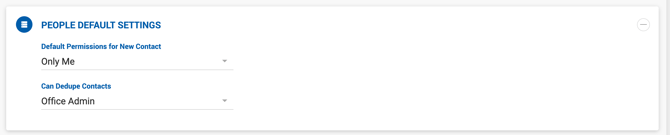
Marking a Contact or Company as a Duplicate
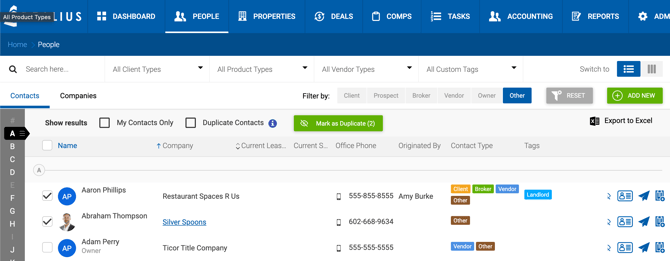
Select one or more contacts (or companies) from the list and click the Mark as Duplicate button. Once marked:
- The record is removed from all dropdowns across listings, deals, comps, and tasks.
- It no longer appears in the main list unless the Duplicate Contacts filter is enabled.
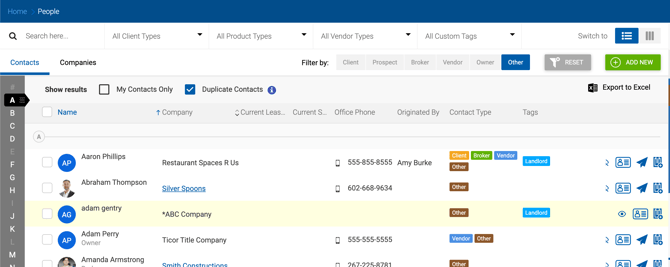
- Duplicate contacts are highlighted with a yellow background to distinguish them from active records.
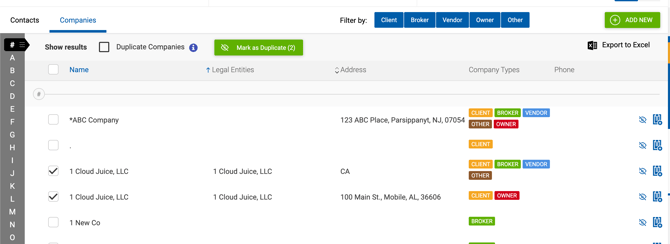
The same process applies to companies.