Overview
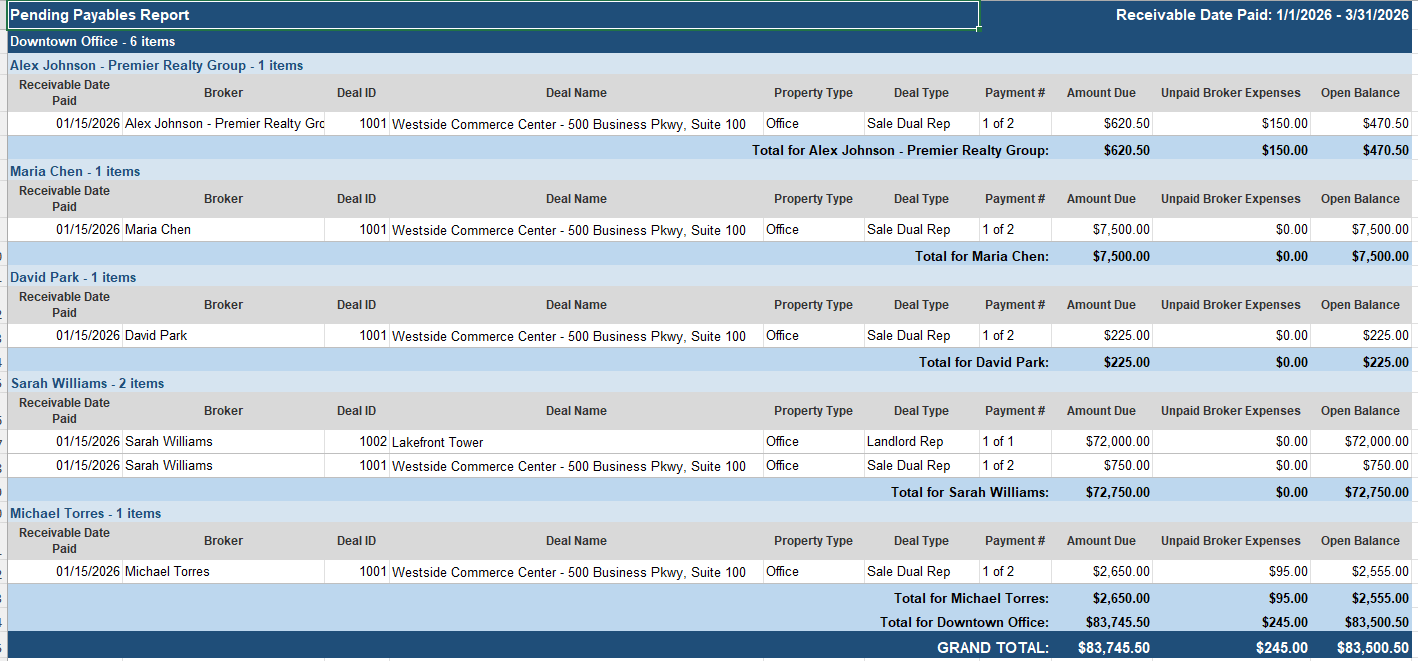
The Pending Payables Report displays all pending and partially paid payables associated with paid receivables, sorted by Receivable Date Paid. The report can be grouped by Broker or Office.
Filters
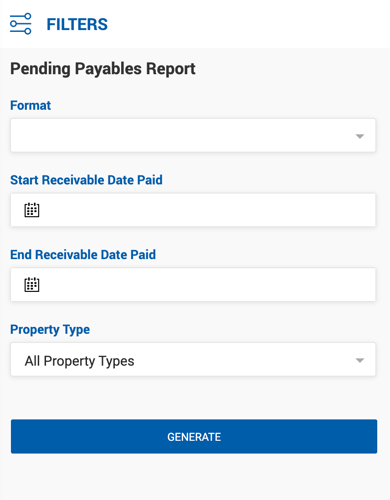
| Filter | Description |
|---|---|
| Format | Company or Broker. |
| Start / End Receivable Paid Date | Optional date range filter. |
| Offices | Filter by office. |
| Brokers | Available for Company format only. |
Report Columns
| Column | Description |
|---|---|
| Receivable Date Paid | The date the associated receivable was paid. |
| Broker | Broker name and associated company. |
| Deal ID | Unique deal identifier. |
| Deal Name | Full deal name. |
| Property Type | Property type associated with the deal. |
| Deal Type | Representation type (e.g., Sale Dual Rep, Tenant Rep). |
| Payment # | Payment number out of total payments (e.g., 1 of 2). |
| Amount Due | Broker net amount due for this payable. |
| Unpaid Broker Expenses | Outstanding broker expenses not yet deducted. |
| Open Balance | Remaining unpaid balance (Amount Due minus Unpaid Broker Expenses). |
Results are grouped by office, then by broker, with subtotals per broker.