Overview
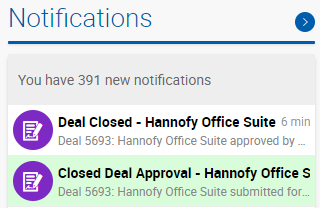
Notifications keep users informed of key actions and updates across deals, accounting, listings, and tasks. The notification counter in the top-right corner of the header shows the number of unread notifications. The pop-up displays the 5 most recent notifications by default — click See All Notifications to view the full list. Clicking any notification opens the corresponding page (deal, task, listing, etc.). 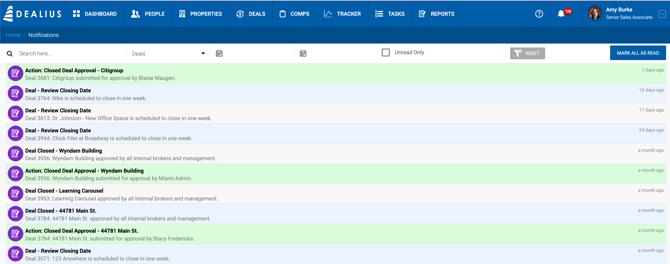
Notifications that require action are highlighted in green in both the notification dropdown and the Notifications page. Action-required notifications are also labeled with "Action:" in the title, for example: Action: Close Deal Approval.
The Notifications page includes an option to Mark All as Read.
Definitions
- Deal Approver — A user assigned under Admin > Manage Data > Deal Approval Workflow to approve deal closings for a specific office.
- All Office Admins — All users with an Admin role assigned to the corresponding office.
In-App Notifications 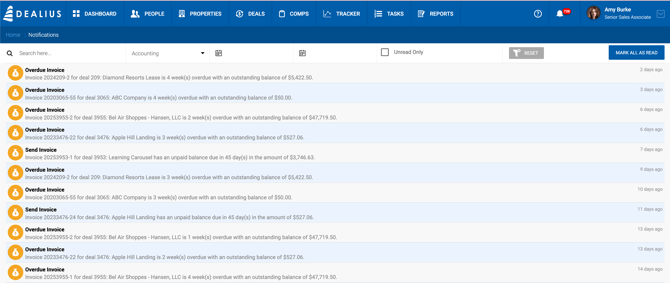
Deal Notifications
| Notification | Recipients | Trigger |
|---|---|---|
| Dead Deal | Deal Approvers, all Office Admins | A deal is marked as Dead. |
| Close Deal Request | Deal Approvers, all Office Admins | A deal is submitted for closing. |
| Close Deal Approval | Deal Brokers (and their Admin Assistants), Deal Approvers | It is their turn to approve deal closing. |
| Close Deal Rejected | Deal Brokers (and their Admin Assistants), Deal Approvers, Office Admins | A deal closing is rejected. |
| Deal Closed | Deal Brokers (and their Admin Assistants), Deal Approvers, all Office Admins | A deal is successfully closed. |
| Note Added | Deal Brokers (and their Admin Assistants), Deal Approvers, Office Admins | A note is added to a related deal, or someone comments on the user's note. |
| Under Contract | Deal Approvers, all Office Admins | A deal is set to Under Contract status. |
| Review Closing Date | Deal Brokers (and their Admin Assistants), Deal Approvers, all Office Admins | 1 week before the expected close date of any active deal. |
| Due Diligence Expiration | Deal Brokers (and their Admin Assistants), Deal Approvers, all Office Admins | 1 week before the Due Diligence Expiration date on active Sale deals. |
| Closed Deal Updated | Deal Brokers (and their Admin Assistants), Deal Approvers | A closed deal is updated. When saving, a prompt appears: "Do you want a notification sent to all brokers and managers that changes have been made to this deal?" Selecting No suppresses this notification. |
| Payment Sent | Deal Brokers | Their payable has been paid. Notification includes the payment date. |
| Split Plan Expiration Reminder | Managers and Office Admins | A broker's split plan with a fixed end date (not set to auto-renew) is approaching expiration. Sent for brokers within their office. |
| Invoice Overdue Reminder | Configurable (see Invoice Overdue Reminder settings) | Invoice is overdue. Message format: [Invoice ID] for deal [Deal ID]: [Deal Name] is [X] days overdue with an outstanding balance of [amount]. |
Accounting Notifications
| Notification | Recipients | Trigger |
|---|---|---|
| Expense Due — Franchise Fee | Managers only | All managers approve a deal closing. Prompts sending an invoice to the client. |
| Expense Due — Broker Commission | Managers only | A deal is closed. Indicates payables are due. |
| Expense Due — Vendor | Managers only | A receivable reaches its Invoice Due Date. |
| Payment Sent | Brokers | Their payable has been paid. Notification includes the payment date. |
Listing Notifications 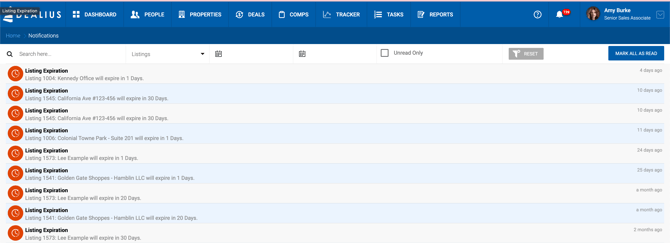
| Notification | Recipients | Trigger |
|---|---|---|
| Listing Expiration Reminder | Deal Brokers (and their Admin Assistants), Deal Approvers, all Office Admins | A listing is approaching its expiration date. Frequency is configured in System Settings. |
Email Notifications
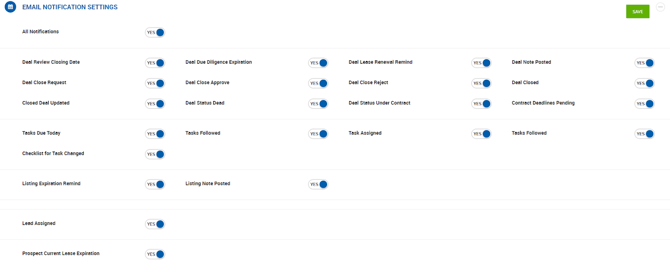
Email notifications mirror in-app notifications and can be managed per user under User Settings > Email Notifications.
-
- The All Notifications toggle enables or disables all email notifications in bulk. Individual toggles can still be adjusted after using the bulk toggle.
- Notifications are grouped by category: Deal, Lease, Task, Listing, and other.