
Overview
Users can access their personal settings via the dropdown menu under their profile image. Changes made here apply only to the individual user and do not affect system-wide settings.
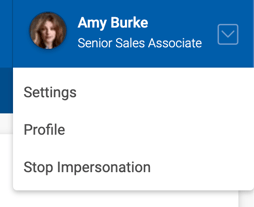
The following areas can be managed under My Settings:
- Lease Renewal Reminder (Deals)
- Lease Expiration Reminder (Comps)
- Listing Expiration Reminder
- Invoice Due Reminder
- Prospect Current Lease Expiration Reminder
- Broker License Expiration Reminder
- Split Plan Expiration Reminder
- Email Notifications
- Preferences
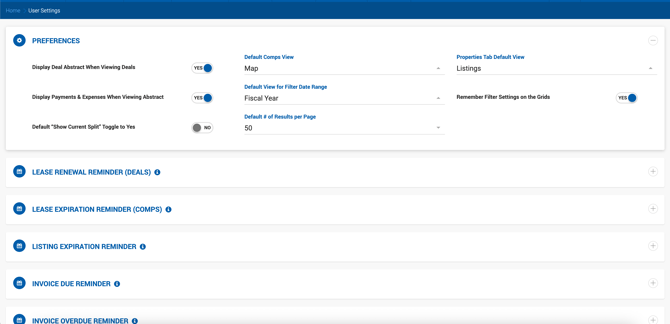
Email Notification Settings
Users can turn individual email notifications on or off using the corresponding toggles. Use the All Notifications toggle to enable or disable all notifications at once. Click Save to apply any changes.
Note: Tasks Due Today notifications are sent once daily. The system collects all tasks due that day at 1:00 AM EST. If a task's due date is set to today after that time, it will not be captured until the following night's send.
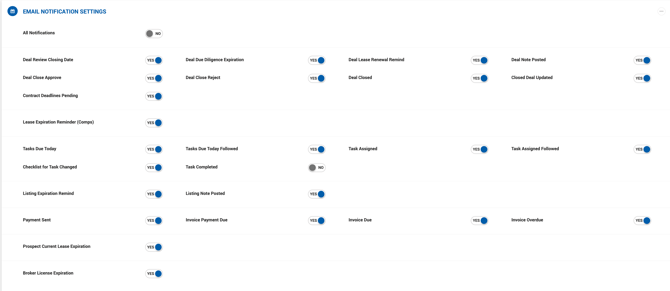
Preferences
Display Deal Abstract When Viewing Deals When enabled, clicking a deal in any grid opens the Deal Abstract instead of the Deal Profile. To access the full Deal Profile, click the Edit link on the Deal Abstract page. Disabled by default.
My Default Office For users assigned to more than one office, this dropdown allows you to set a default office where most deals will be created.
Accounting Tab Default View Sets the default landing tab when navigating to Accounting. Options are: Invoices, Receivables, Payables, and Summary.
Properties Tab Default View By default, navigating to Properties opens the Listings tab first. This setting allows you to change the default to the Properties tab instead.
Default Comps View Sets the default view when opening Comps.
Display Payments & Expenses When Viewing Abstract Controls the default state of the Display Payments toggle on the Deal Abstract. When enabled, all deals will show payments on the abstract view unless manually overridden at the deal level. Disabled by default.
Default View for Filter Date Range Sets the default date range used for grid filters.
Remember Filter Settings on the Grids When enabled, the system retains your last-used filter settings on grids between sessions.
Default "Show Current Split" Toggle to Yes This setting is only available when two conditions are met: the environment is configured to calculate splits based on Payment Date, and the Enable Current Split Display on Deal Abstract option is turned on under Admin > System Settings > Deal Default Settings. When both are active, a Show Current Split toggle appears on the Deal Abstract, and this personal setting controls whether that toggle defaults to on or off for your account.
