
Overview
Any deal on the Pipeline page can be copied using the Copy button in the Actions column. Any user with access to a deal has the right to copy it.

How It Works
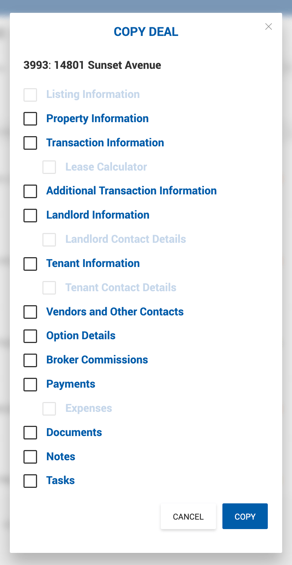
Clicking Copy opens the Copy Deal popup, which contains checkboxes for selecting which sections from the source deal should be carried over to the new deal. Some checkboxes are disabled by default and must be intentionally selected by the user.
The newly created deal is named "Copy of Deal ID: Deal Name", carries over the Estimated Close Date from the source deal, and is assigned the lowest active deal status.