
Overview
The Listing Expiration Reminder notifies brokers and managers when a listing is approaching its expiration date. Reminders are sent via email once daily at 1:00 AM EST and apply to listings in On Market and In Contract statuses only.
Office-Level Configuration
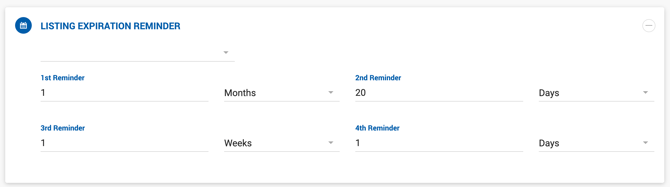
Managers and Office Admins can configure the reminder frequency per office under their assigned office settings. Up to four reminder intervals can be set, each defined by a number and time unit (Days, Weeks, or Months) before the listing expiration date.
User-Level Configuration
All user roles can adjust their own reminder preferences under User Settings, accessible via the link under the profile photo. Individual preferences can be set independently of the office-level configuration, similar to the Lease Renewal Reminder settings.
Who Receives the Reminder
- Brokers associated with the listing.
- Admins and Managers listed in the Deal Approval Workflow.