
A contact can be linked to multiple companies simultaneously — useful for property owners who operate multiple LLCs or legal entities, or contacts who work across several organizations. One company is always designated as the primary. All linked companies, including former ones, are visible on the contact's Companies tab.
Adding Companies to a Contact
On the contact's Info tab, the Company section displays the current linked companies. To add another:
- Click Link Company and select an existing company from the dropdown.
- If the company doesn't exist yet, click Add New within the dropdown to create it on the spot.
Each linked company has a Primary toggle. Only one company can be marked as primary at a time. If only one company is linked, it is automatically set as primary and cannot be unlinked until a second company is added. 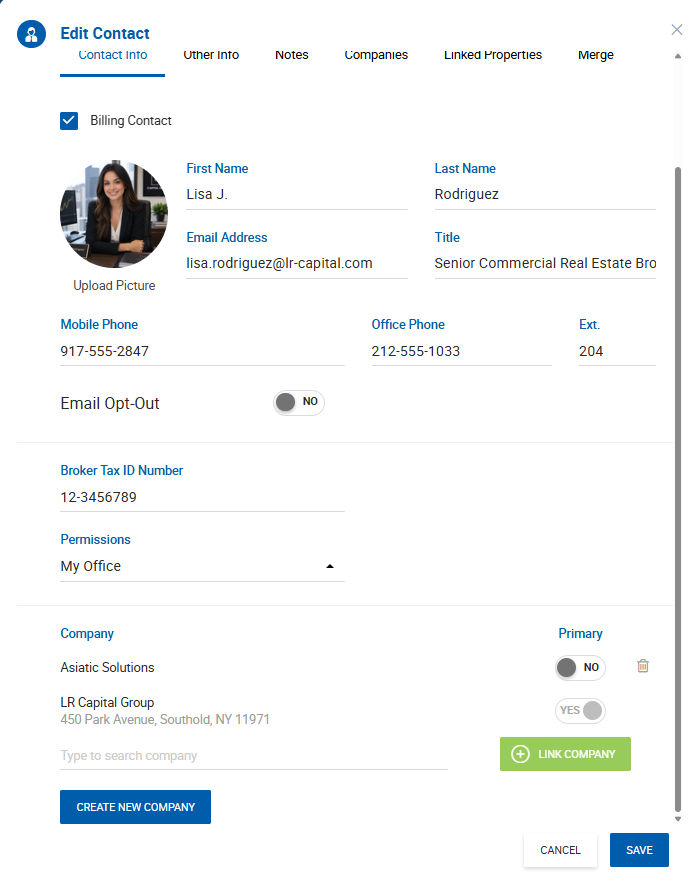
In CRM Pro, the Info tab shows the primary company with an indicator that additional companies are linked. The full list is accessible via the Companies tab. 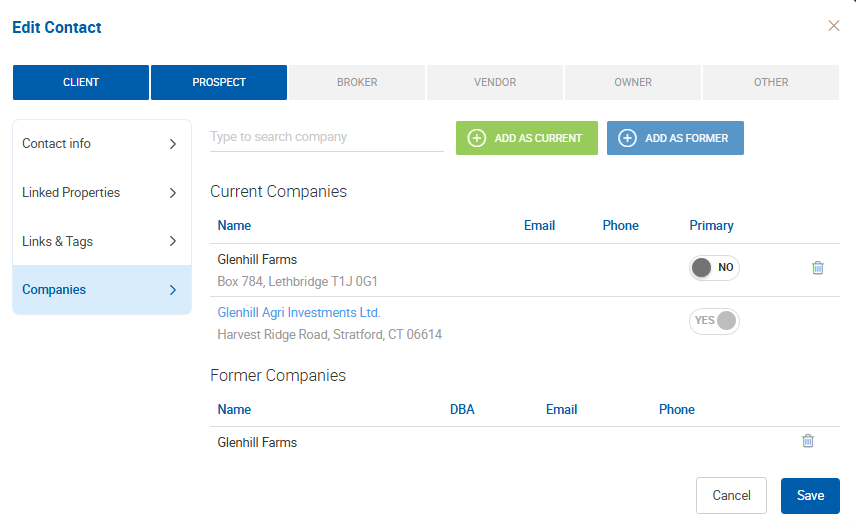
The Companies Tab
The Companies tab (formerly named Former Companies) shows both current and former linked companies in a split view:
- Current Companies — all companies currently linked to the contact, with one marked as primary.
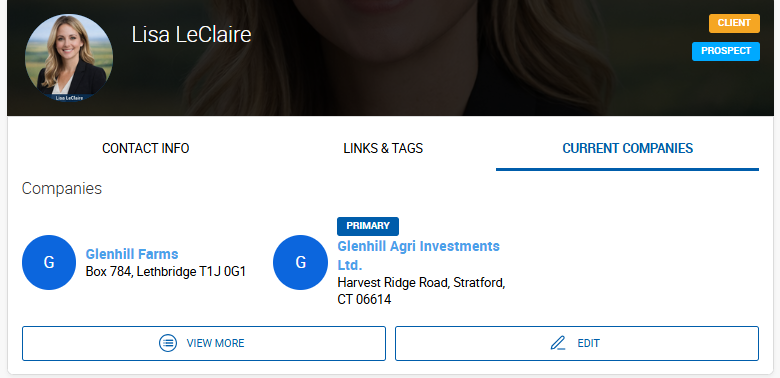
- Former Companies — companies that have been unlinked from the contact.
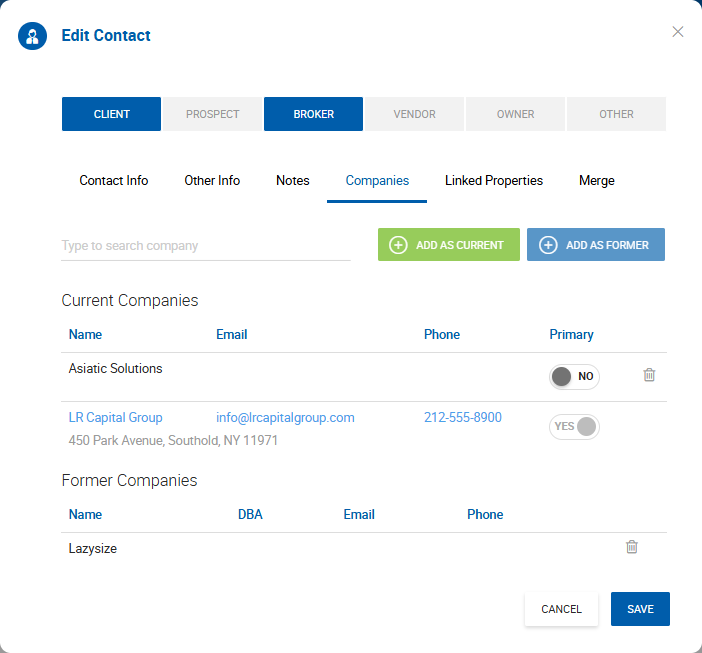
Unlinking a Company
Click the X icon next to a company to unlink it. Hovering over the icon shows the tooltip "Unlink the company."
When a company is unlinked:
- It moves automatically to the Former Companies list. To remove it completely, delete it manually from the Former Companies tab.
- If the contact is associated with any active records through that company (deals, listings, or properties), a confirmation prompt appears before unlinking proceeds:
"The contact is linked to the following records through this company. Confirm to proceed: [record type] [record ID] [record name] [record status]"
What happens to linked records after unlinking:
| Record Type | Behavior |
|---|---|
| Linked properties | Contact is removed as an owner if linked through the unlinked company. |
| Active deals (client or opposite side) | Contact is removed from the deal. |
| On Market listings | Contact is removed from the listing. |
| Pending Close or Closed deals | Contact is not automatically removed. It remains until manually changed or the company is refreshed. Reopening the deal does not remove it. |
| Off Market, Expired, or other non-active listings | Contact is not automatically removed. Making the listing On Market again will remove it. |
Primary Company Rules
- A contact must always have at least one company — a sole linked company cannot be unlinked.
- The primary company is the one shown in deal and listing dropdowns when searching for contacts.
- When a contact is added as an outside broker on a deal, comp, or listing, the primary company is always used. Changing the primary company on the contact updates outside broker references going forward.
Behavior During Contact Merge
When two contacts are merged, the primary contact's company becomes the primary company on the merged record. Any other companies from both contacts remain as secondary linked companies.