
Overview
Lease and Sale comps are managed in separate tabs but share the same set of controls at the top:
- Customize View — Show or hide available columns. Available columns differ between Lease and Sale comps.
- Switch To — Toggle between list and map views.
- Search — Opens the Search Panel.
- Export to Excel — Exports comps in Summary or Detailed format.
- Run Comp Report — Opens the comp report generation modal.
- Add Comp — Dropdown with Lease Comp and Sale Comp options, each opening a new comp form in a new tab.


Lease Comps — Grid View
Columns
| Column | Description |
|---|---|
| Checkbox | Select comps for export or report generation. Star a comp to mark it as the subject property — it will appear first in all reports. Max 50 comps can be selected at a time. Select All selects all comps on the current page. |
| ID | Unique comp ID. Displays a lock icon for confidential comps (red if NDA). Source label (Internal or External) shown below the ID. |
| Property | Name of the property used in the comp. |
| Address | Street, city, state, ZIP, and Unit/Suite # of the property or space. |
| Tenant | Tenant company name. |
| Asking Rate | Asking rate from Transaction Information. |
| Base Rate | Base rate from Transaction Information. |
| Effective Rate | Effective rate from Transaction Information. |
| Additional Lease Type | From Transaction Information. |
| Execution Date | Lease execution date. |
| Commencement Date | Lease commencement date. |
| Square Feet | SF of the main property or space if a space is used. |
| Term | Lease term in months. |
| Property Type | Main property type. |
| Space Type | Space type if applicable. |
| Lease Type | Lease type from Transaction Information. |
| Tenancy | From Property Details. |
| Acres | Property acreage. |
| Number of Units | Number of units. |
| Submarket | From Property Info. |
| Building Class | From Property Details. |
All columns are sortable. Use Customize View to show or hide columns.
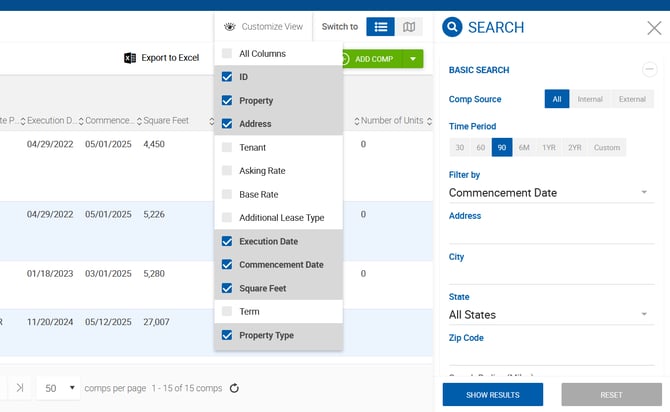
Lease Comps — Search
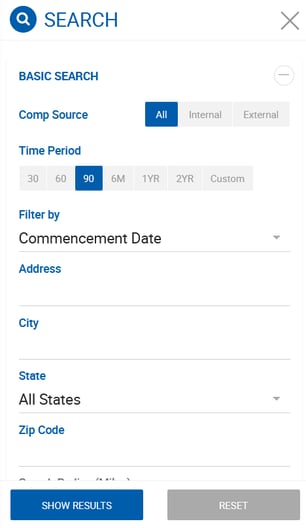
Click Show Results to apply filters. Click Reset to clear all criteria.
Basic Search
| Filter | Description |
|---|---|
| Comp Source | All (default), External, or Internal. Pulled from Comp Verification > Source. |
| Time Period | 30, 60, 90 days, 6M, 1YR, 2YR, or Custom. Filters by the date type selected in Filter By. If no custom dates are entered, All Time is used. |
| Filter By | Execution Date, Commencement Date (default), or Expiration Date. |
| Address | Matches street address of the main property or space. |
| City | Multi-select type-ahead. Matches city of the main property or space. |
| State | Multi-select dropdown. Matches state of the main property or space. |
| Zip Code | Multi-select. Matches zip code of the main property or space. |
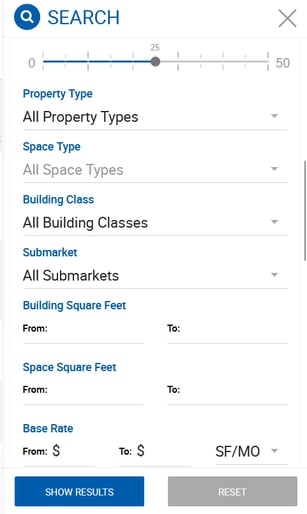
| Search Radius (Miles) | 0–50 miles. Defaults to 25 but not applied unless address is specified. Requires address + city + state, or zip code + street. Synced with the map radius control. |
| Property Type | Multi-select. Pulls from the main property. |
| Space Type | Multi-select. Pulls from the space. Works in combination with Property Type, not as an either/or. |
| Building Class | Multi-select. From Property Details. |
| Submarket | Multi-select. From Property Info. |
| Building Square Feet | From/To range. Searches by main property Building Size. |
| Space Square Feet | From/To range. Searches by Space Available SF from Property Info or Space Info. |
| Base Rate | From/To range with type options: Amt/MO, Amt/YR, SF/MO, SF/YR. The system internally converts across all types for comparison. |
| Effective Rate per SF | From/To range with Per Year or Per Month options. |
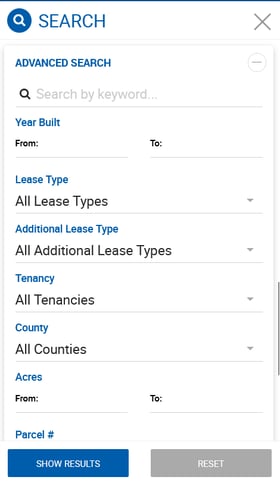
Advanced Search
| Filter | Description |
|---|---|
| Keyword | Searches comp ID, client company names, property names, and addresses. |
| Year Built | From/To year range. |
| Lease Type | Multi-select (e.g., Assignment, Direct-New, Direct-Renewal). |
| Additional Lease Type | Multi-select (e.g., Absolute NNN, Full Service, Gross). |
| Tenancy | Multi-select: Multi-Tenant, Owner-Occupied, Single-Tenant. |
| County | Matches county in the main property address. |
| Acres | From/To range for main property acreage. |
| Parcel # | Free text. Matches Parcel Number in Property Info. |
| Broker | All Brokers, All Active, All Inactive, All Outside Brokers, or individual selection. |
| Created Date | From/To date range. Filters by the date the comp was created. Not applied by default. |
| Deactivated Comp | Toggle, disabled by default. Shows only deactivated comps. Deactivated comps cannot be included in Run Comp Report. |
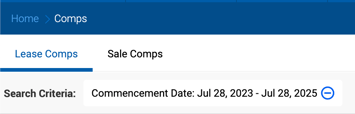
Active filters are displayed above the grid after Show Results is clicked and can be removed individually using the minus icon.
Sale Comps — Grid View
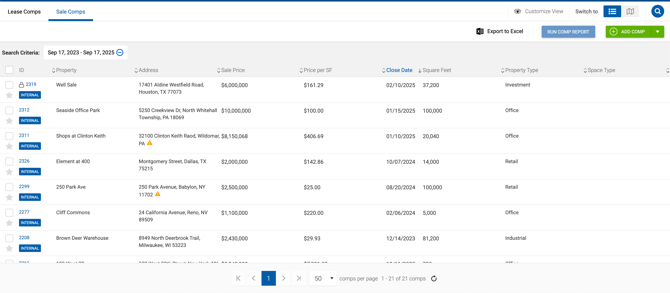
Columns
| Column | Description |
|---|---|
| Checkbox | Same behavior as Lease Comps. |
| ID | Unique comp ID with lock icon for confidential/NDA comps and source label. |
| Property | Name of the property used in the comp. |
| Address | Street, city, state, ZIP, and Unit/Suite # of the property or space. |
| Buyer | Buyer company name. |
| Asking Price | From Transaction Information. |
| Sale Price | From Transaction Information. |
| Price per SF | From Transaction Information. |
| Close Date | From Transaction Information. |
| Square Feet | SF of the main property or space if a space is used. |
| Property Type | Main property type. |
| Space Type | Space type if applicable. |
| Submarket | From Property Info. |
All columns are sortable. Use Customize View to show or hide columns.
Sale Comps — Search
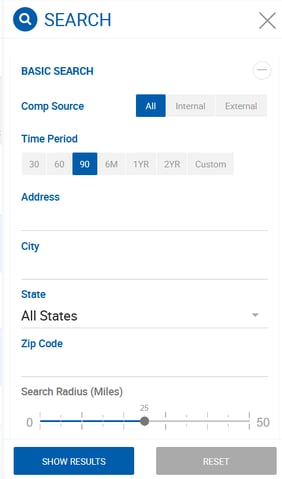
Basic Search
| Filter | Description |
|---|---|
| Comp Source | All (default), External, or Internal. |
| Time Period | 30, 60, 90 days, 6M, 1YR, 2YR, or Custom. Filters by Sold Date (Close Date). |
| Address | Matches street address of the main property or space. |
| City | Multi-select type-ahead. |
| State | Multi-select dropdown. |
| Zip Code | Multi-select. |
| Search Radius (Miles) | 0–50 miles. Defaults to 25. Same rules as Lease Comps. |
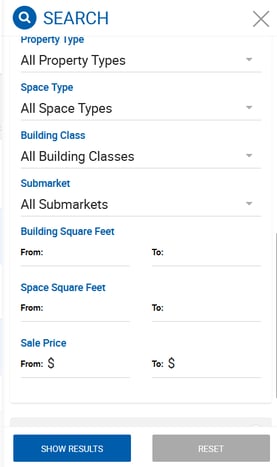
| Property Type | Multi-select. Pulls from the main property. |
| Space Type | Multi-select. Works in combination with Property Type. |
| Building Class | Multi-select. From Property Details. |
| Submarket | Multi-select. From Property Info. |
| Building Square Feet | From/To range. Searches by main property Building Size. |
| Space Square Feet | From/To range. Searches by Space Available SF. |
| Sale Price | From/To dollar range. From Transaction Information. |
Advanced Search
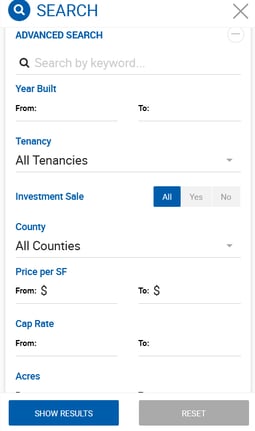
| Filter | Description |
|---|---|
| Keyword | Searches comp ID, client company names, property names, and addresses. |
| Year Built | From/To year range. |
| Tenancy | Multi-select: Multi-Tenant, Owner-Occupied, Single-Tenant. |
| Investment Sale | All, Yes, or No. From Transaction Information. |
| County | Matches county in the main property address. |
| Price per SF | From/To dollar range. From Transaction Information. |
| Acres | From/To range for main property acreage. |
| Parcel # | Free text. Matches Parcel Number in Property Info. |
| Broker | All Brokers, All Active, All Inactive, All Outside Brokers, or individual selection. |
| Created Date | From/To date range. Not applied by default. |
| Deactivated Comp | Toggle, disabled by default. Deactivated comps cannot be included in Run Comp Report. |
Map View
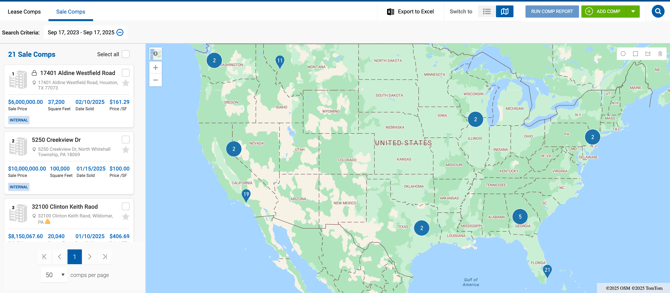
Both Lease and Sale comps can be viewed on a map. The map retains the search panel (closeable), top controls, and a results list on the left — all synced with the grid. Comps without latitude/longitude coordinates are marked with an alert icon and will not appear as map pins.
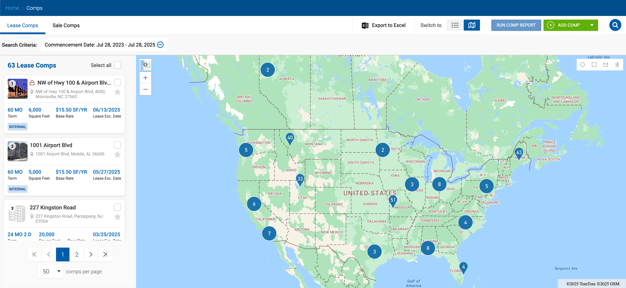
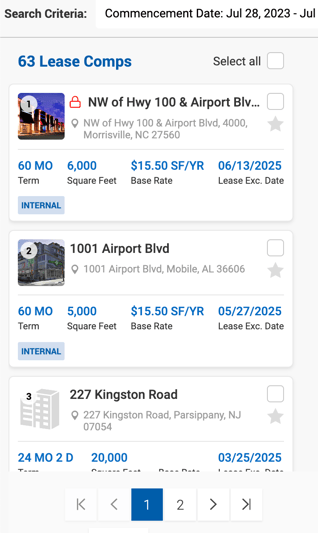
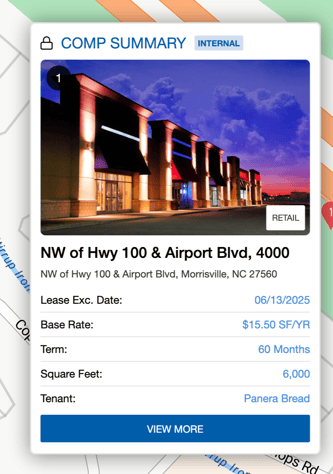
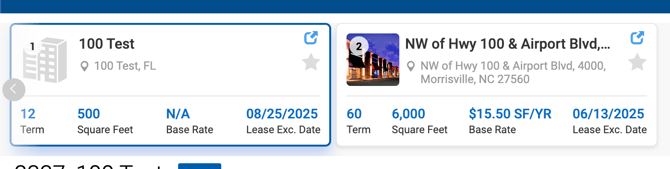
Lease comp cards show: property image with ordinal number, comp name, address, checkbox and star, term, square feet, base rate, and lease execution date. Clicking a card opens a pop-over with space/property type and additional lease type, plus a View More button linking to the comp profile.
Sale comp cards show: property image with ordinal number, comp name, address, lock icon for confidential/NDA comps, checkbox and star, sale price, square feet, date sold, and price/SF. The pop-over includes the same data plus a property or space type tag. 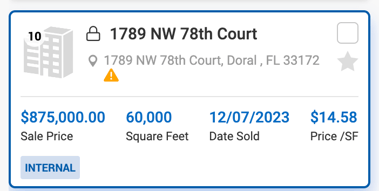
Map search shapes
In addition to the radius filter in the search panel, comps can be filtered by drawing shapes directly on the map:
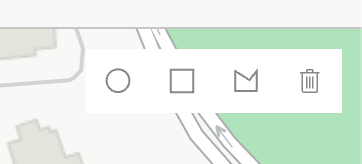
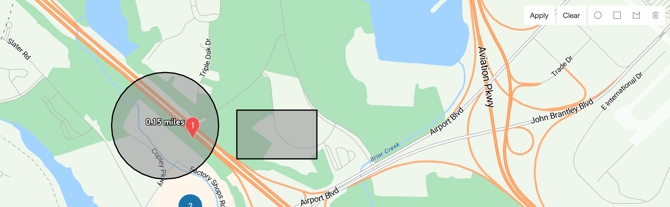
- Radius — Synced with the search panel slider (max 50 miles, shown in blue).
- Polygon — Click to start drawing, click to add points, double-click to close.
- Rectangle — Click and drag to draw.
Multiple shapes can be drawn simultaneously. Click Apply to filter by the drawn shapes. The delete icon removes the last drawn shape; Clear removes all shapes.
Comp slider
When multiple comps are selected via checkbox and one is opened, a slider appears at the top of the comp profile, allowing you to navigate between selected comps for side-by-side comparison. The slider resets when search criteria change.
Export to Excel
Export is available from both list and map views. If no comps are selected, all comps in the current search results are exported. If at least one comp is selected via checkbox, only selected comps are exported.
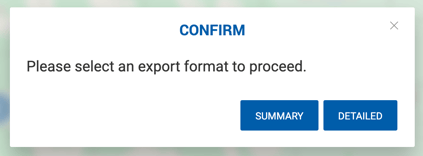
Two export formats are available:
- Summary — Excludes Additional Property Details (visible on the Property Profile > Details tab but not on the comp profile).
- Detailed — Includes all fields: Transaction Information, Property Info, Property Details, Additional Property Details, client names, links to the comp and property profiles, comp highlights, and last updated date and user.
Every exported file includes the export name (Sale or Lease), date and time of export, the user who ran it, and the search criteria used. 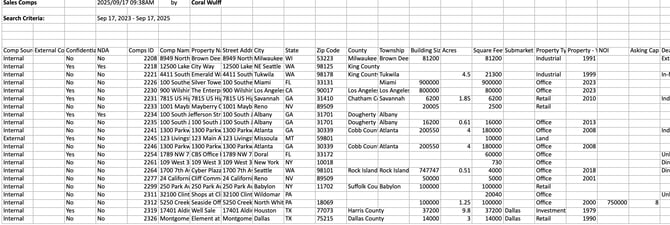
Confidential & NDA export rules:
- Fields not visible to the current user due to Confidential Visibility settings are excluded from the export.
- NDA comps always export only: comp source, Confidential and NDA flags, property/space address, and link to comp profile — regardless of the user's permissions.