Overview
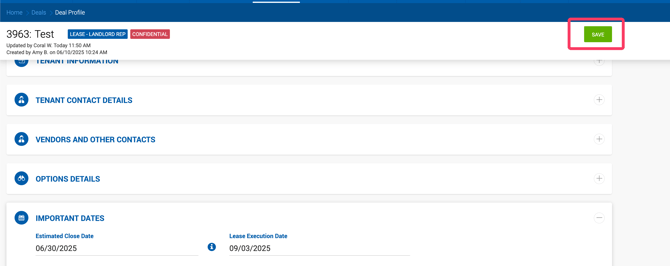
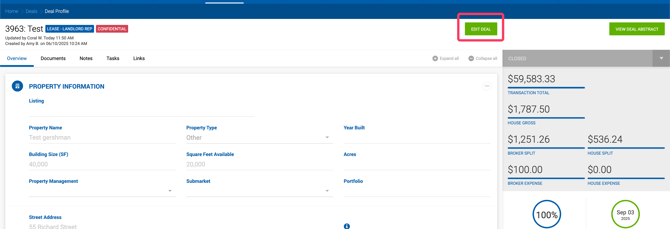
Closed deals are read-only by default. To make changes, the Edit Deal button must be clicked at the top of the deal profile. Once clicked, all inputs become active for editing.
Saving Changes
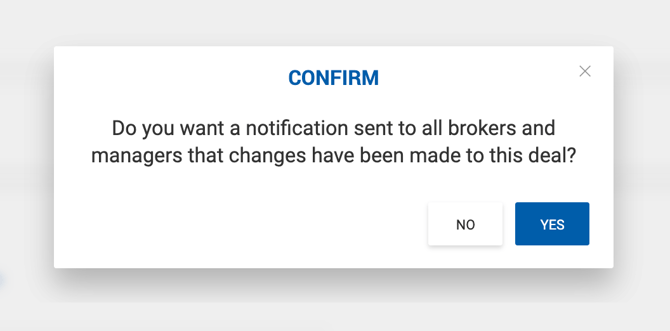
When a closed deal is saved after edits, the system displays a confirmation prompt:
"Do you want a notification sent to all brokers and managers that changes have been made to this deal?"
- Yes — Sends a Closed Deal Updated notification (both in-app and email) to all approvers.
- No — No notification is sent.
If the changes affect accounting-related data, an additional confirmation popup appears on save.
Editing Restrictions by Deal Status
Deal editing permissions vary based on the deal's current status and the user's role. The general rules are:
- Active deals — Fully editable by all users with access.
- Pending Close deals — Brokers and Admin Assistants can no longer edit the deal profile. Office Admins retain the ability to update certain fields.
- Closed, partially paid, or fully paid deals — Subject to further restrictions depending on the user role.
Note: A full breakdown of editing permissions by deal status and user role is available in the deal editing restrictions reference table.