The right sidebar on the Deals page contains two sections:
- Year to Date Production
- Current View Total
Showing and Hiding the Sidebar
Click Hide Sidebar to collapse the sidebar and expand the deals grid to full width. Click Show Sidebar to bring it back.
Year to Date Production
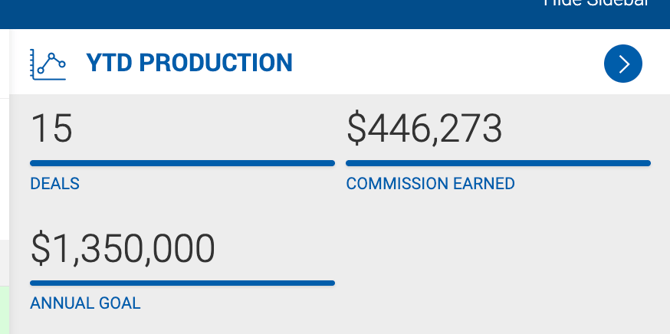
This section summarizes closed deal activity for the current year. It displays the following values:
- Deals — The number of deals closed this year.
- Commission Earned — Gross commission earned on those deals.
- Annual Goal — In Broker view, this is the current year goal set in Broker Admin > Production Goals. In other views, it reflects the sum of all active brokers' annual goals.
- House Gross — Varies based on the Display Outside Gross Separate From House Gross feature setting:
- Feature ON — Contains the sum of internal broker grosses only.
- Feature OFF, House Paid = No — Contains the sum of internal broker grosses plus outside brokers who share commission.
- Feature OFF, House Paid = Yes — Contains the sum of internal broker grosses plus all outside broker grosses.
- Outside Gross — The sum of all outside broker grosses. This field only appears when the Display Outside Gross Separate From House Gross feature is ON. When visible, House Gross excludes outside broker grosses entirely.
- Total Gross — The sum of all inside and outside broker grosses.
To view only the deals used to calculate YTD Production values, click the arrow button in the top-right corner of the section. This filters the deals grid accordingly.
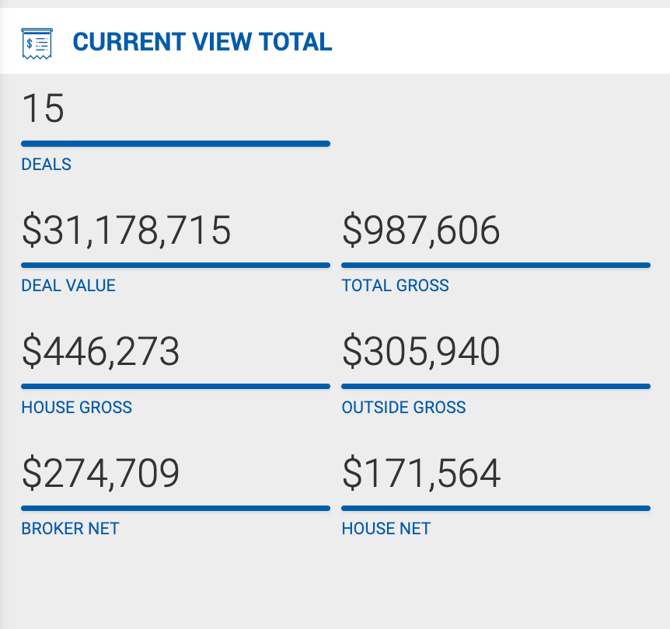
Current View Total
This section dynamically reflects the deals currently displayed in the grid. It updates automatically whenever grid filters are changed, and shows the following:
- Number of deals
- Total deal value
- Gross commission
- Broker and house splits
How Deal Value Is Calculated
Deal value is calculated as the sum of the lease value and the sale price. For sale deals specifically:
- The Sale Price is used if available.
- If Sale Price is empty, the Asking Price is used.
- If Asking Price is also empty, the Budget value from the Buyer Requirements section is used.