
What is Dealia?
Dealia is a built-in AI assistant designed to help you work faster and smarter across CRM Pro or separately. It can answer questions, generate reports, create records, and help you craft better prompts — all through a conversational interface. 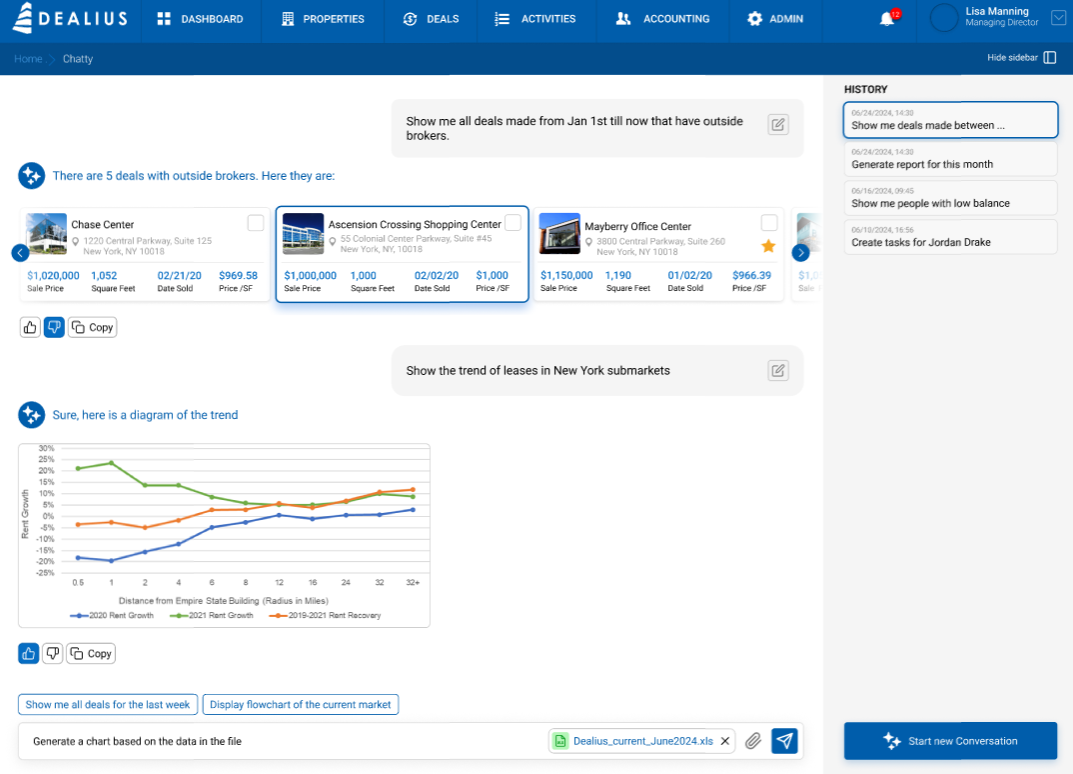
Accessing Dealia
Dealia is available on every page in CRM Pro o individually via a chat bubble icon in the bottom right corner of the screen. You can open it without leaving your current page. 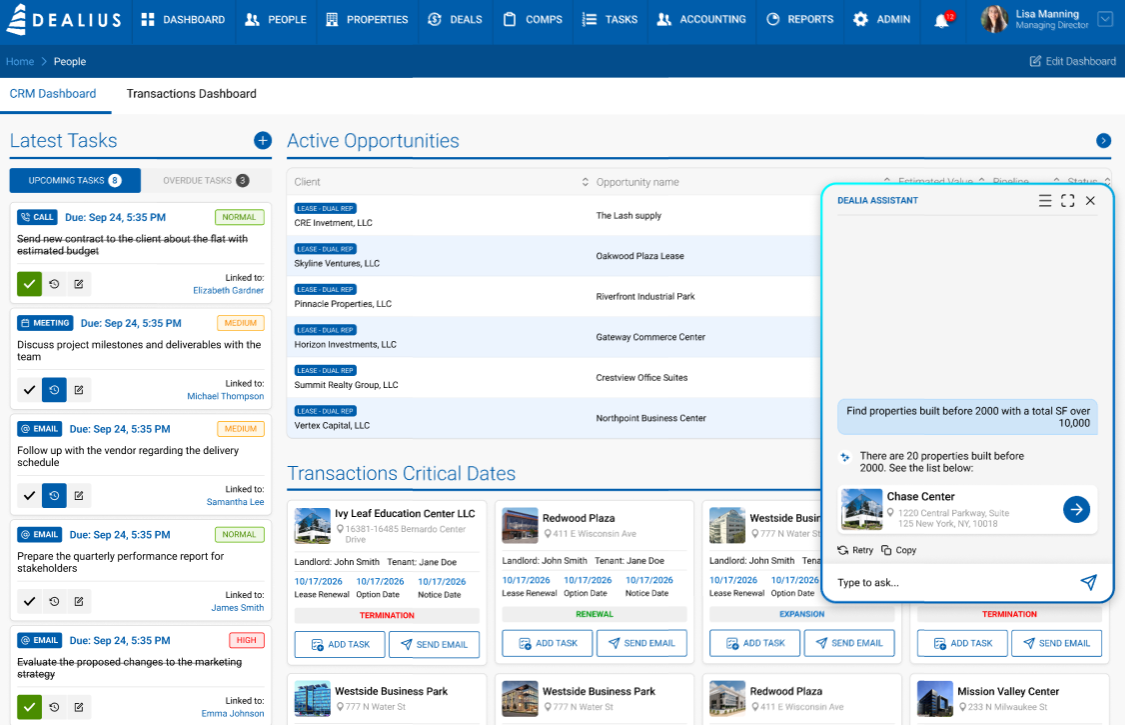
There are two ways to interact with Dealia:
Chat Window (compact) — click the beacon to open a compact chat panel. Type your question or request and Dealia will respond inline. This is ideal for quick lookups, creating records, or generating a report without navigating away from what you're doing. 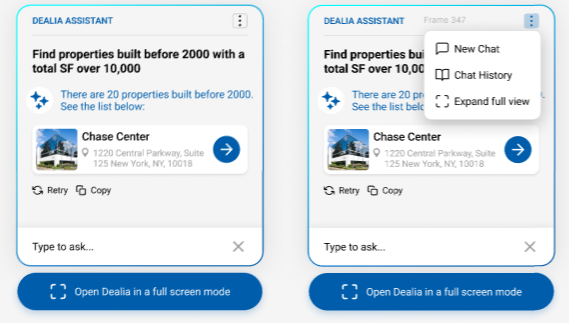
Full Screen Mode — click Open Dealia in full screen inside the chat window to expand to a full-page view. This is better suited for longer conversations, complex requests, or when you want more space to review Dealia's responses.
What You Can Ask Dealia
Dealia understands plain language requests related to your CRM data and workflow. Here are some examples:
Contacts & Outreach
- "Show me all prospects I haven't contacted in the last 60 days"
- "Find contacts with tenant requirements in the Downtown submarket"
- "Add a new contact — John Smith, Tenant Rep at Pacific Coast Ventures"
Tasks & Follow-ups
- "What tasks do I have due this week?"
- "Create a follow-up task for Aaron Anctil due next Friday"
- "Show me all overdue tasks linked to active deals"
Opportunities & Deals
- "Show me all opportunities in the Tenant Pipeline at the Negotiation stage"
- "What is the total value of my open opportunities?"
- "Create an opportunity for Linda Chow — Landlord Rep, estimated value $1.2M"
Reports
- "Generate an activity report for 123 Main St for the last 30 days"
- "Show me my pipeline report by stage"
- "How many tours were completed on Harbor View Tower this month?"
Tips for Working with Dealia
Be specific. The more context you give, the better Dealia's response. Instead of "show me my deals", try "show me all active tenant rep deals closing before June 2026".
Use names and IDs. Referencing a specific contact name, property address, or deal ID helps Dealia find exactly what you need.
Combine actions. You can ask Dealia to do multiple things in one request — for example, "Create a task for Sarah Mitchell due next Monday and link it to the Riverside Office Park opportunity."
Ask follow-up questions. Dealia maintains context within a conversation, so you can refine or build on your previous request without starting over.