Overview
Deals represent real estate transactions in Dealius. The system allows you to track ongoing deals, generate analytics, and monitor cash flow. Each deal is a collection of data points that make up a real-world transaction, including clients, properties, brokers, and commission values.
Common Fields
Every deal in the system contains the following:
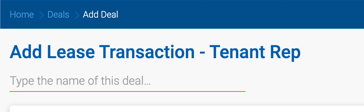
- Deal Name — A custom name provided by the deal owner. Always required.
- Deal ID — A unique number automatically generated by the system.
- Representation Type — Tenant Rep, Landlord Rep, Buyer Rep, or Seller Rep.
- Client — The client associated with the deal.
- Contact — The point of contact from the client's organization.
- Property — The real estate being transacted.
- Estimated Close Date — The anticipated closing date.
- Status and Probability — Each stage of the deal lifecycle has a status and a probability value indicating likelihood of closing. Available statuses vary by Representation Type.

Deal Lifecycle
Deals can be Active, Closed, or Dead. New deals are created through the Add Deal form. Once created, a deal's attributes — including status and probability — can be viewed and updated on the Deal Profile.
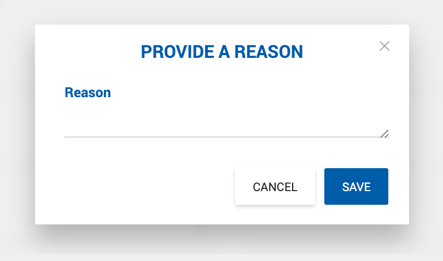
If a deal does not reach closing, its status can be set to Dead. When marking a deal as Dead, the user is prompted to enter a reason. This reason is automatically logged as a note on the Deal Profile > Notes tab, with the subject "Deal marked as dead" and the entered reason as the note body. The note is attributed to the user who submitted the reason.
Adding a New Deal
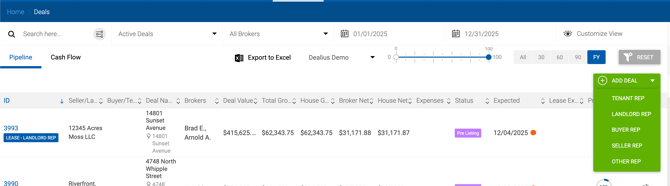
Click the Add Deal button on the Deals page to create a new deal. A dropdown appears with the four representation types — each links to a customized form with fields specific to that type.
Note: Representation types can be hidden from this dropdown under Admin > System Settings > Deal Default Settings.
Form fields are organized into sections, which vary based on the selected representation type. All sections are accessible via the section list in the top-right corner of the form. Deal names do not need to be unique but are required for easy identification.