
Overview
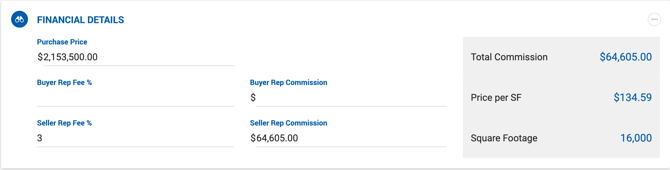
The Financial Details section is found on Sale Deal profiles and houses all fee and commission information tied to the transaction. Deal financials will not appear in the deal until this section is completed.
Always click Save after entering or updating information to avoid losing your work.
Fields
Purchase Price The total sale price of the property. This can be updated at any time as the deal progresses.
Buyer Rep Fee / Seller Rep Fee Enter either a percentage or a flat commission fee for your representation. Make sure to enter the value in the correct field based on which side you are representing — Buyer or Seller.
Price per SF / Price per Acres Calculated automatically based on property or space type:
- All property types (including Multi-Family) — Displays Price per SF and Square Footage.
- Multi-Family — Also displays Price per Unit and Number of Units.
- Land property type — Displays Price per Acres and Number of Acres instead of Price per SF.