
Overview
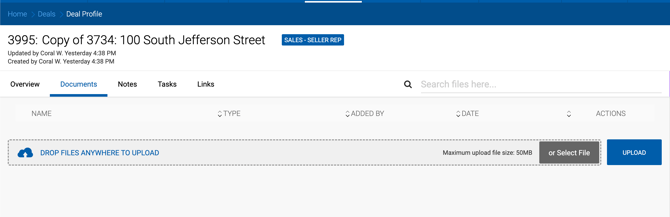
The Documents tab on a Deal profile allows you to manage all files associated with the deal. Documents can be required or optional, as configured by your Admin team.
Uploading Documents
Required document types are listed at the top of the Documents tab and must be uploaded before the deal can be submitted for closing. To upload a file, click Select File and choose the appropriate file from your computer.
Additional files can be uploaded at any time for tracking and historical reference, regardless of whether they are required.
Downloading Documents
To download a file, click the Download icon in the Actions column next to the document.
Deleting Documents
To delete a file, click the trash icon in the Actions column next to the document.