Creating a Deal
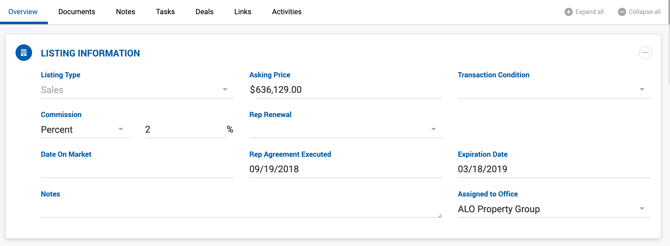
To create a deal from an existing listing, open the listing and click the Add Deal button. The deal type is determined by the listing type:
- Sales listing — Opens the Create Seller Rep Deal page.
- Lease listing — Opens the Create Landlord Rep Deal page.
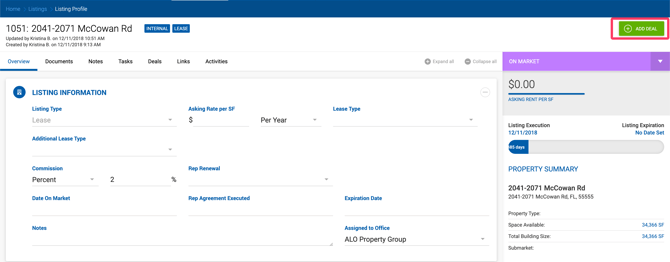
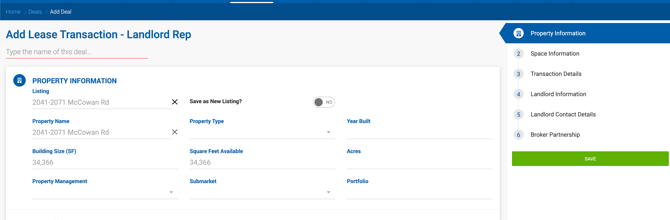
All data from the listing is automatically carried over to the Add Deal form.
When the Add Deal button is clicked, a Select Space modal appears. Choose which space to use in the deal, or select the option to proceed without a space. Once a selection is made, the Add Deal page loads with all property and space values pre-populated.
Property Snapshots
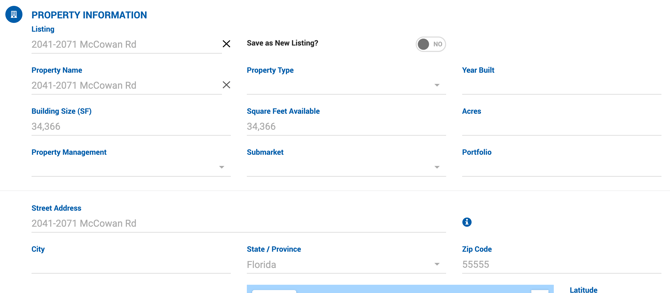
When a property is linked to a listing, Dealius creates a snapshot of the property data — the same way it does when a property is linked to a deal. This ensures that changes made to the property profile do not affect existing listings, preserving data integrity over time.
If a property profile change needs to be reflected in an existing listing, click the Refresh Property button inside the listing. Note that main property info and space info are refreshed separately.
Impact on Linked Deals
Since deals linked to a listing share the same property snapshot as the listing, refreshing the property snapshot in a listing automatically updates all deals linked to that listing. If the current user does not have access to those deals, the system will not allow the property data to be refreshed in the listing.