Overview
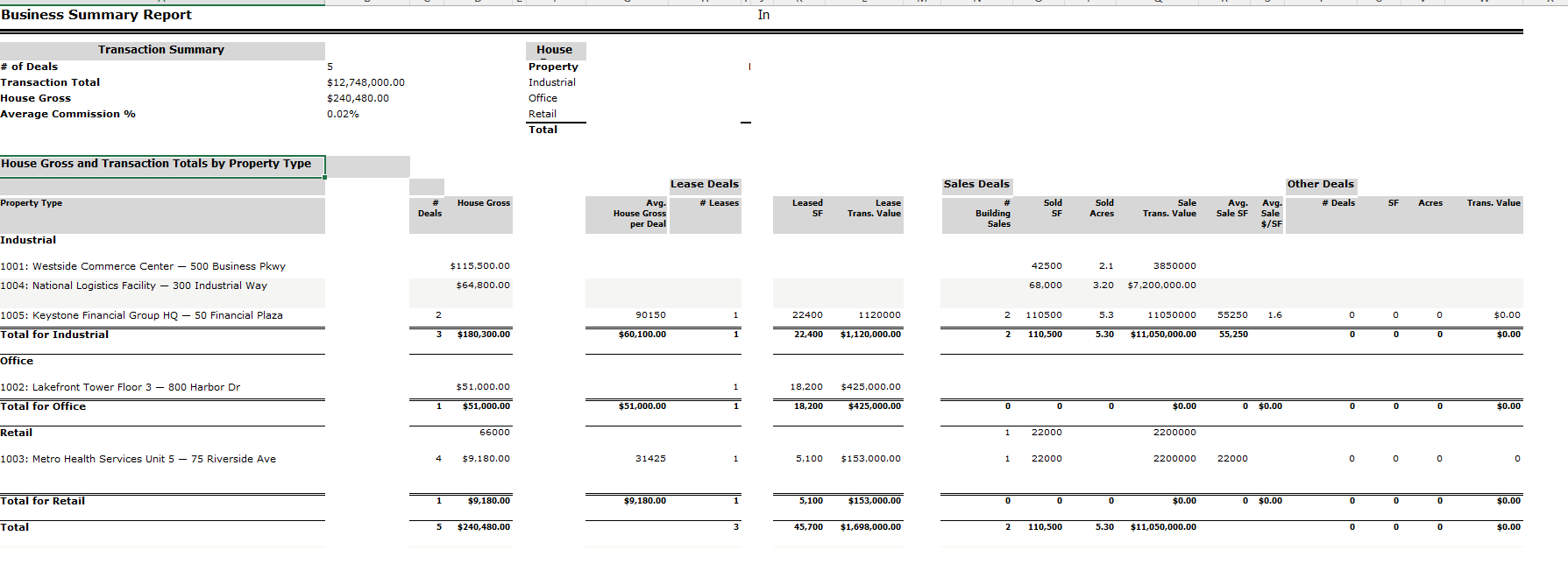
The Business Summary Report extracts a summary broken down by Sale, Lease, and Other Rep deals.
- When filtered by Invoice Paid Date, the system uses all payment dates for any deals where a payment was made.
- When filtered by Deal Close Date, all closed deals are included based on their close date.
In Detailed format, users can see all included deals organized by property type. Individual deal rows appear under each property type group showing the deal ID, name, and relevant financial columns for that deal type (lease, sale, or other). Each property type section ends with a subtotal row, and the report ends with a Grand Total row. Users can click on a deal to open the associated commission report.
Filters
| Filter | Description |
|---|---|
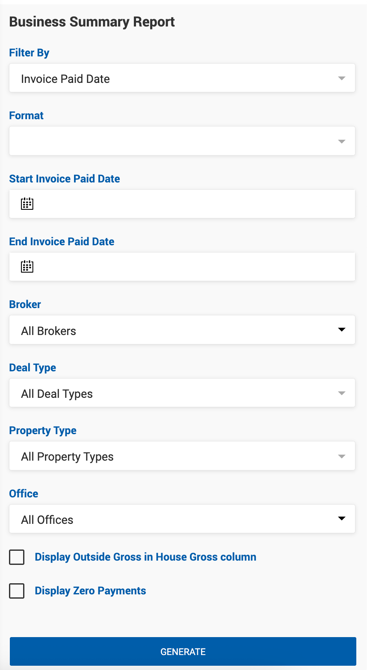
| Filter By | Invoice Paid Date or Deal Close Date. |
| Format | Standard or Detailed. |
| Start / End Invoice Date Paid | Date range for invoice paid dates. |
| Rep Type | Sale Rep, Lease Rep, Other Rep. |
| Broker | List of internal brokers. |
| Property Type | Multi-select list from Admin settings. Includes a No Property Type option for deals with a blank property type. |
| Display Outside Gross in House Gross Column | Selected by default. When enabled, Outside Gross is included in the House Gross column. |
| Display Zero Payments | Checkbox to include $0 payments within the selected date range. |
| Offices | Filter by office. |
Transaction Summary
A compact summary panel displayed at the top of the report.
| Field | Description |
|---|---|
| # of Deals | Total number of filtered deals. |
| Transaction Total | Sum of all Transaction Totals for filtered deals. |
| House Gross | House Gross for filtered deals. Whether Outside Gross is included is determined by the Display Outside Gross Separate From House Gross toggle in Admin > System Settings > Deal Default Settings. |
| Average Commission % | Calculated as: House Gross ÷ Transaction Total. |
House Gross by Property Type
A summary panel displayed alongside the Transaction Summary showing gross commission broken down by property type.
| Field | Description |
|---|---|
| Property Type | Property types from Admin settings used in deals within the system. |
| House Gross | House Gross for filtered deals per property type. Outside Gross inclusion follows the same system setting as above. |
| Total | Sum of House Gross across all property types. |
House Gross and Transaction Totals by Property Type
The main detailed grid of the report. Rows are grouped by property type. In Detailed format, individual deal rows appear under each property type header, followed by a subtotal row. The report ends with a Grand Total row.
| Field | Description |
|---|---|
| Property Type / Deal | Property type header rows and individual deal rows (Deal ID: Deal Name) in Detailed format. |
| # Deals | Total number of filtered deals across Lease, Sale, and Other. |
| House Gross | House Gross for filtered deals. |
| Avg. House Gross per Deal | Calculated as: House Gross ÷ # Deals. |
| # Leases | Number of lease deals. |
| Leased SF | Sum of property SF for selected lease deals. |
| Lease Trans. Value | Sum of Transaction Totals for selected lease deals. |
| # Building Sales | Number of sale deals. |
| Sold SF | Sum of SF for selected sale deals. |
| Sold Acres | Sum of Acres for selected sale deals. |
| Sale Trans. Value | Sum of Transaction Totals for selected sale deals. |
| Avg. Sale SF | Calculated as: Sold SF ÷ # Building Sales. |
| Avg. Sale $/SF | Calculated as: Sale Trans. Value ÷ Sold SF. |
| # Deals (Other) | Number of Other Rep deals. |
| SF (Other) | Sum of SF for selected Other Rep deals. |
| Acres (Other) | Sum of Acres for selected Other Rep deals. |
| Trans. Value (Other) | Sum of Transaction Totals for selected Other Rep deals. |
Note: Individual deal rows in Detailed format only populate columns relevant to their deal type — for example, a lease deal row shows Leased SF and Lease Trans. Value but leaves the Sale and Other columns blank.