Overview
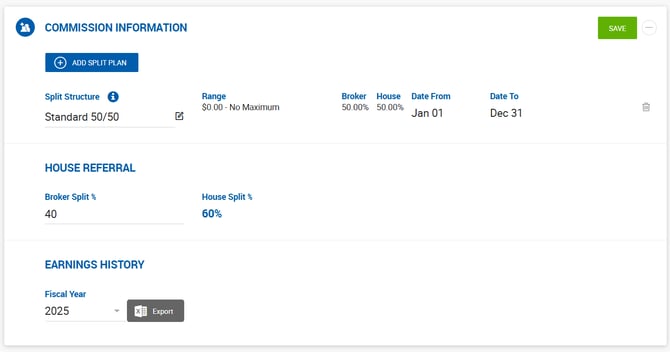
The Split Plan section on the Broker Profile allows you to assign a commission split structure that determines how broker and house splits are calculated for deals the broker participates in.
To assign an existing structure, start typing its name in the search field and select it from the suggestions. To create a new one, click Add New in the suggestions dropdown.
Creating a New Split Structure
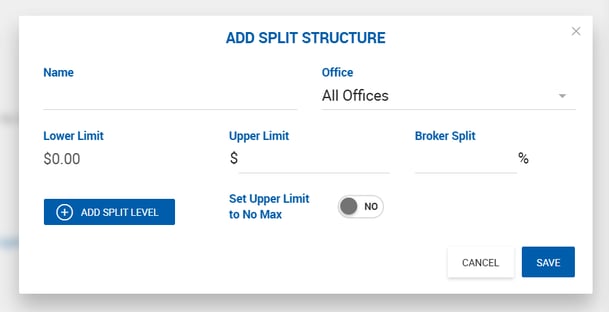
A new split structure requires the following:
- Name and Office
- At least one Split Level, each containing a range and a Broker Split %
- Each level's upper limit must be higher than its lower limit
- Broker Split % may decrease at higher levels
Set Upper Limit to Max — Enable this toggle to set the upper limit of the last tier to the highest possible value. This prevents the broker from exceeding the last tier and ensures the split percentage does not default to 0%.
Managing Multiple Split Plans
Office Admins can assign more than one split structure to a broker. When multiple plans are assigned, hovering over the (i) icon shows who last updated the split.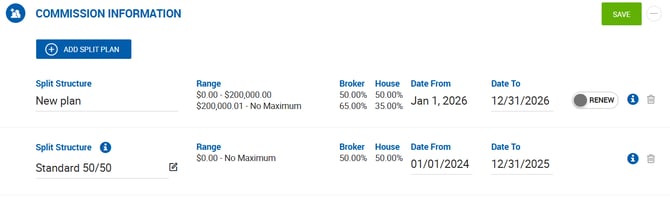
If a broker has multiple split plans with specific date ranges, older plans are hidden under a Show More link. Current and future plans are always displayed at the top.
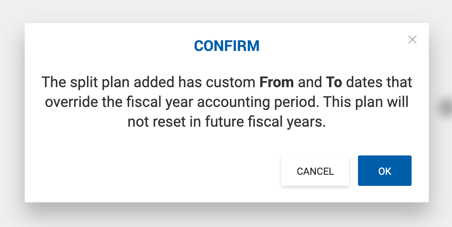
Fiscal Year Override If a split plan has a specific date range (e.g., September 2021 – August 2022) that differs from the fiscal year (e.g., January 1 – December 31), the system ignores the fiscal year and calculates broker net based on the split plan's date range. A warning message is displayed when such a plan is saved.
Auto-Renew Since date-specific split plans expire and the system defaults to 0% once all plans have lapsed, it is recommended to enable the Renew toggle on the last active plan to ensure it automatically renews.

House Referral Split
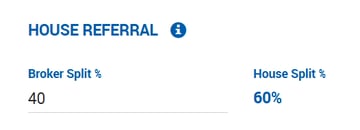
The House Referral split is configured separately in its own section. Hovering over the (i) icon shows who last updated this split.