
Overview
The Tracker tab is designed exclusively for Broker users. It provides a centralized view of active deals, deal-related activity, payment history, and an individualized Agent Production Overview.
Deals Tab
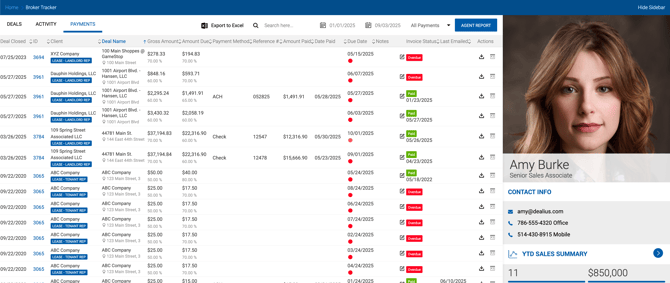
Displays all active deals the broker is participating in. The grid includes deal name, client, deal value, gross amounts, broker net, expenses, status, expected close date, and probability.
Property address shows the space address if a space is used in the deal, or the main property address if no space is linked.
The right sidebar displays YTD summary metrics including: number of deals closed, House Gross, Broker Net, Expenses, and other values. Expenses include both deal and non-deal expenses where applicable.
Activity Tab
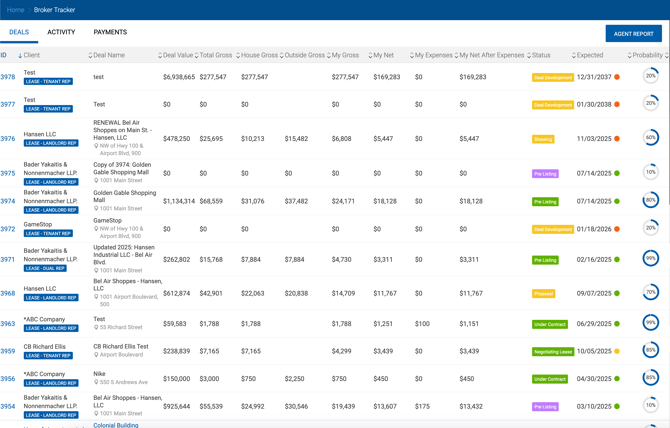
Shows a chronological feed of notes added to deals the broker is tied to. Each entry displays the date and time, the user who posted the note, the note content, and the associated deal. Clicking the deal number and name on the right side of the entry navigates directly to the deal profile.
Payments Tab
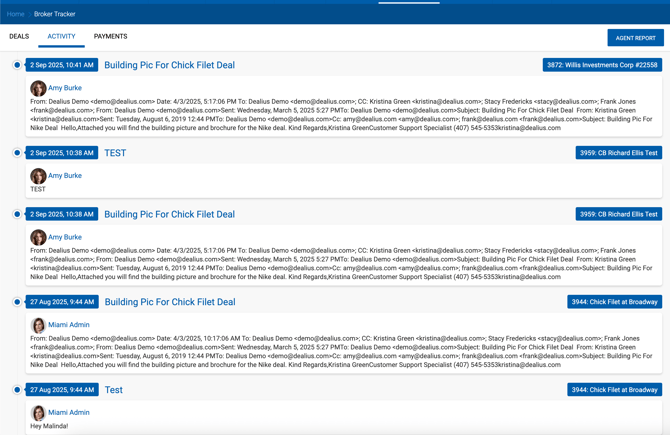
Displays all payments applied to the broker's closed deals. From this tab the broker can:
- Search by Deal ID, deal name, client name, or property address.
- Sort by payment status or paid date.
- Print invoices.
Grid columns include:
| Column | Description |
|---|---|
| Invoice Status | Status from Accounting > Invoices for each invoice. When status is Paid, the Paid Date is also shown. |
| Last Emailed | Most recent date the invoice was emailed, including the sender's name (e.g., 12/31/2025 by Jessica S.). |
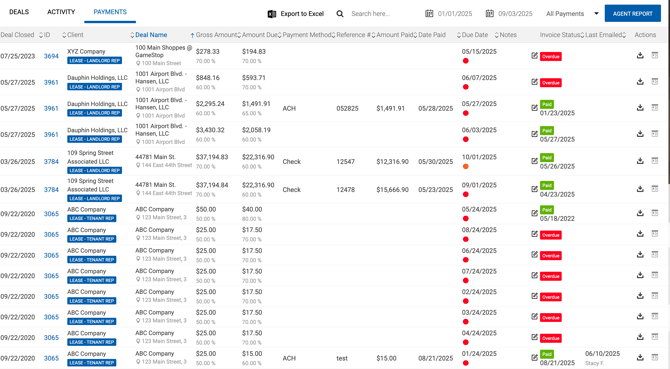
The broker's profile photo and contact information are displayed in the sidebar alongside a YTD Sales Summary.
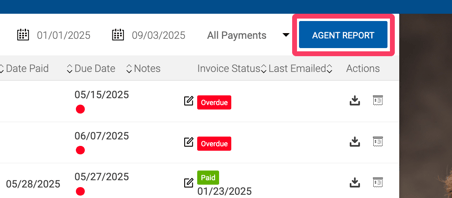
Agent Report
Clicking Agent Report opens a detailed personal production overview containing the following sections:
Agent Profile Displays broker photo, office, office ranking, company ranking, deals closed YTD, average split, and current split. 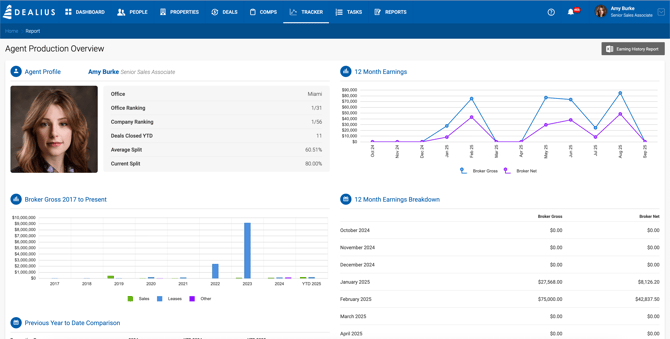
Broker Gross — Starting Year to Present A bar chart showing broker gross by year from the broker's start year to the current year, broken out by Sales, Leases, and Other deal types.
Previous Year to Date Comparison Compares broker gross for the prior full year, prior year YTD, and current year YTD across Sales, Lease, and Other deal types. 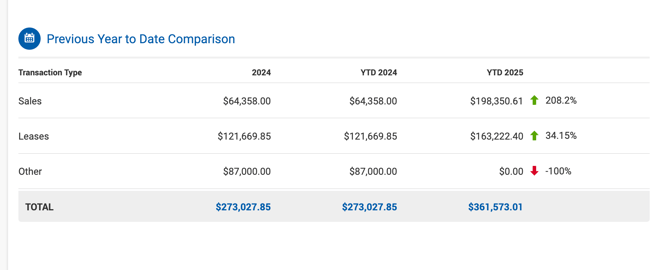
- Prior Year — Full year totals for the previous fiscal year.
- YTD Prior Year — Amounts for the same date range in the prior year as the current YTD period. For example, if today is July 15, 2026 and the FY runs January–December, the YTD 2025 column covers January 1, 2025 – July 15, 2025.
- YTD Current Year — Amounts from the start of the current FY to today.
Percentage differences and directional arrows compare YTD Prior Year against YTD Current Year.
12 Month Earnings An interactive line chart showing Broker Gross and Broker Net across the last 12 months. Hover over data points to see detailed figures.
12 Month Earnings Breakdown A table listing Broker Gross and Broker Net for each of the last 12 months.